Murf Pricing in 2026: Plans Explained
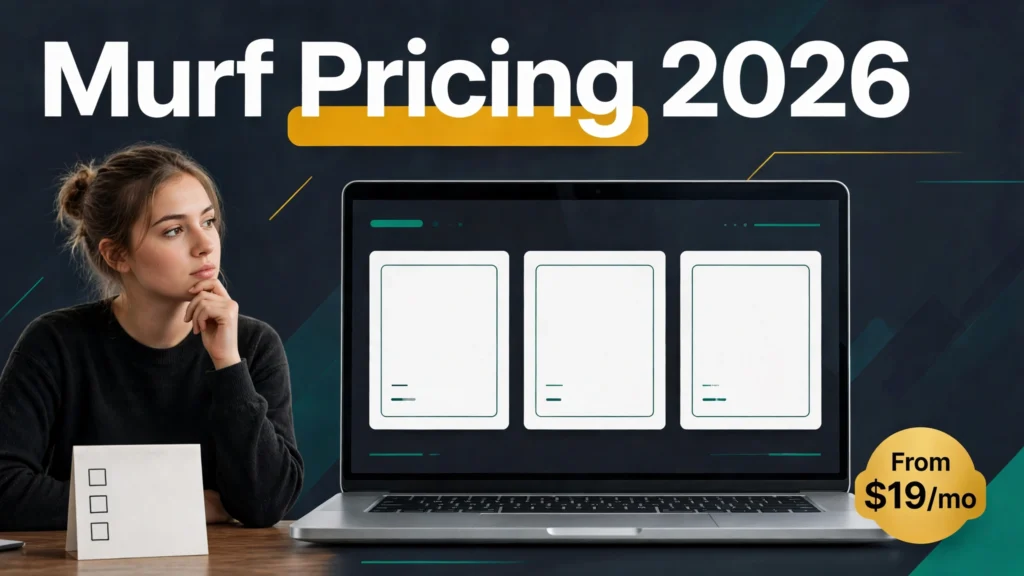
Disclosure: This article contains affiliate links. If you buy through them, Affitrove may earn a commission at no extra cost to you. Prices below were checked on Murf’s own pricing page on November 12, 2026 — Murf can change them, so re-check at checkout before you pay.
Murf pricing looks simple at first glance: four plans, two of them with a monthly and an annual price, and that’s it. I spent a full morning reading Murf’s pricing page, its help center, and its FAQ side by side, and the simple picture got messy fast. The help center says your unused voice time carries over. The FAQ says it never does. The refund policy says one thing in the terms and something stricter in the pricing-page code. And the number everyone actually cares about — what a finished minute of voiceover costs you — isn’t printed anywhere on the page at all.
So this is the article I wish I’d had before I started comparing. Every price below comes from murf.ai/pricing or Murf’s own help pages, checked November 12, 2026. Where Murf’s own pages disagree with each other, I say so instead of picking the friendlier number and hoping you won’t notice.
Murf pricing, in one minute
- Free is $0 and genuinely free — 10 minutes of voice generation, total, no card required. You can’t download anything and you can’t use the audio commercially, so it’s a test drive, not a plan.
- Creator is $29 a month, or $19 a month if you pay annually ($228 a year). That’s the first plan with commercial rights and downloads, and it comes with 24 hours of voice generation a year.
- Business is $99 a month, or $66 a month annually ($792 a year). Same deal, bigger pool: 96 hours a year, plus the Voice Changer, PowerPoint and Slides plugins, and priority support.
- Enterprise is a custom quote, annual billing only. Unlimited voice time, voice cloning as a paid add-on, SSO, and an SLA.
- Annual billing saves a flat 33% on both paid plans — $120 a year on Creator, $396 a year on Business.
- Per finished minute, Creator costs about $0.16 on annual billing and Business about $0.14. Monthly billing pushes those to roughly $0.24 and $0.21.
- There is no confirmed Black Friday 2026 offer from Murf as of November 12. Black Friday is November 27, and Murf’s 2025 “33% off” deal was just the standing annual discount wearing a sale badge.
Murf pricing at a glance
| Plan | Monthly billing | Annual billing | Annual total | Voice time |
|---|---|---|---|---|
| Free | $0 | $0 | $0 | 10 minutes, once, ever |
| Creator | $29/mo | $19/mo | $228/yr | 24 hours / year |
| Business | $99/mo | $66/mo | $792/yr | 96 hours / year |
| Enterprise | Not offered | Custom quote | Custom | Unlimited |
One thing to notice right away: Murf’s annual discount is a real one. A lot of tools advertise “save 20%” and then quietly raise the monthly price to make the math work. Murf didn’t. Creator is $29 monthly and $19 annual — that’s $348 a year versus $228, a clean $120 saving. Business is $99 versus $66, or $1,188 versus $792. The 33% figure Murf quotes checks out, and on Creator it’s actually a touch better than 33% if you do the division ($19 is 34.5% off $29).
Studio prices haven’t moved in 2026 at all. Creator has been $29/$19 and Business $99/$66 since at least September 2025. The last real change was in 2025, when Murf dropped its old Growth tier and cut Business from $199 a month to $99. If you stumble on an older review quoting a $299 Business plan, it’s from before that cut — ignore it.
Murf Free: $0, and honestly useful for exactly one thing
The Free plan gives you 10 minutes of voice generation and 10 minutes of transcription, and it never expires. No credit card, no trial countdown, no “your 14 days start now” pressure. That part is genuinely good — most voice tools give you a week and then start nagging.
Here’s the catch, and it’s a big one: those 10 minutes are a lifetime allowance, not a monthly one. Use them up and the free plan is done generating. You also can’t download anything you make, and you have no commercial rights to the audio. You can preview every voice, share preview links, and poke around the editor — but nothing you create on Free can legally go into a YouTube video, a course, or a client project.
So Free is a voice test, not a production tool. Use it to answer one question: does Murf’s voice quality beat what you’re already using? Ten minutes is enough for that. It’s not enough to run a channel on, and it was never meant to be. If you like what you hear, the decision is really between Creator and Business, because Free can’t carry you past the audition.
One small mercy: if you do upgrade, your unused free minutes carry over into the paid plan. It’s a minor thing, but it’s the kind of detail Murf gets right.
Murf Creator: $29 a month, or $19 a month billed annually
Creator is where Murf starts being a real tool. At $19 a month on annual billing ($228 paid up front) or $29 month to month, you get 24 hours of voice generation a year, 100 projects, and — the two things that matter most — commercial rights and unlimited downloads.
That 24-hour pool works differently from how most people expect. On annual billing, Murf hands you the whole 24 hours at the start of the year. There’s no monthly cap, so you can burn 10 hours in January on a course launch and coast for a while after. On monthly billing, you get 2 hours a month instead. Same total over a year if you stay subscribed all twelve months, but the annual version gives you the flexibility to front-load.
What you actually get on Creator: all of Murf’s voices (the pricing page says 150+ voices in 35+ languages — though Murf’s own pages can’t agree on the count, with figures from 150 to over 1,100 floating around depending on which page you read), the Gen 2 model, MultiNative voices that speak several languages in one voice, and the Canva integration. Exports cover MP3, WAV, FLAC, and OGG, plus a-LAW and μ-LAW if you’re feeding phone systems.
The feature I like most on Creator is one Murf doesn’t advertise loudly enough: re-rendering is free. Change the voice, the style, the pitch, the speed, or the pauses on text you’ve already generated, and it costs you nothing. Murf only charges voice time when the words themselves change. If you’ve ever re-generated the same paragraph six times in another tool because the emphasis was slightly off, you know how much that matters. On ElevenLabs, every regeneration eats credits. On Murf, only new words do.
Who’s Creator for? Solo creators making YouTube videos, course lessons, or podcast intros — anyone producing up to a couple of hours of finished voiceover a month. Two hours a month is roughly eight 15-minute videos, or a full online course module every few weeks. If your output is steadier than that, keep reading.
Murf Business: $99 a month, or $66 a month billed annually
Business is Creator with a much bigger tank and a handful of team-facing tools. At $66 a month annually ($792 up front) or $99 month to month, you get 96 hours of voice generation a year — four times Creator’s pool — and 500 projects instead of 100.
The extras are where Business earns its name. You get the AI Voice Changer (record your own voice and have Murf restyle it), the PowerPoint and Google Slides plugins, “Say It My Way” (record a line yourself and the voice copies your intonation), emphasis and variability controls, Audio-to-Text transcription bundled in, a business license instead of the standard commercial license, and priority support.
Do the math on the hours and Business is the better deal per minute — about $0.14 a minute on annual billing against Creator’s $0.16. But that only helps if you actually use the hours. Ninety-six hours a year is eight hours a month, every month. That’s a lot of voiceover. A YouTuber publishing two videos a week with ten minutes of narration each uses roughly five to six hours a month, and Creator’s 24-hour annual pool already covers that with room to spare. Business makes sense for teams, agencies, and e-learning producers turning out training content at volume — or for anyone who wants the Voice Changer and the Slides plugins badly enough to pay for them.
One warning from the pricing page’s fine print: if you’re comparing Business to Creator, don’t be fooled by the monthly view. On monthly billing, Business gives you 8 hours a month. Some older third-party reviews still claim 20 hours a month on Business — that’s wrong, and a screenshot of Murf’s own monthly pricing view from late October 2026 shows 8 hours. Trust the 8.
Murf Enterprise: custom quote, and the only way to get cloning
Enterprise is Murf’s “talk to sales” tier: custom price, annual billing only, unlimited voice generation, and the enterprise checklist — SSO, data residency, on-premise deployment, an SLA, a Master Service Agreement, SOC 2 Type II, ISO 27001 and 42001, HIPAA compliance, and a written promise that your data won’t be used to train models.
Two things about Enterprise are worth knowing before you book the sales call. First, voice cloning is an Enterprise add-on, not a standard feature. There’s no self-serve cloning on any Studio plan. The process is serious: Murf sends a script, the speaker records roughly one to two hours per voice style in a professional, noise-free studio at 48 kHz, and the build takes one to four weeks. Written consent from the speaker is mandatory. Compare that with ElevenLabs, where instant cloning starts on the $6-a-month Starter plan — Murf is playing a different game here, and it’s a slower, more enterprise one.
Second, don’t believe any specific Enterprise price you see quoted online. One figure — $5,940 a year — shows up in the pricing page’s code, but it isn’t displayed anywhere on screen. Murf doesn’t publish an Enterprise floor, so I won’t quote one either.
What a finished minute actually costs you
Murf doesn’t print a per-minute price, so I did the division. The numbers below are simple arithmetic — plan price divided by included voice time — not figures Murf publishes. They assume you use every minute you pay for, which is the part most people get wrong.
| Plan | Billing | Price | Voice time | Cost per hour | Cost per minute |
|---|---|---|---|---|---|
| Creator | Annual | $228/yr | 24 hrs/yr | $9.50 | ~$0.16 |
| Creator | Monthly | $29/mo | 2 hrs/mo | $14.50 | ~$0.24 |
| Business | Annual | $792/yr | 96 hrs/yr | $8.25 | ~$0.14 |
| Business | Monthly | $99/mo | 8 hrs/mo | $12.38 | ~$0.21 |
Two things jump out. First, the gap between annual and monthly billing is huge — about 50% more per minute on monthly. If you know you’ll use Murf for a full year, the annual plan isn’t a small saving, it’s the difference between $0.16 and $0.24 a minute. Second, the gap between Creator and Business is small: $0.16 versus $0.14 on annual. Business only wins if you need the volume; buying it for the per-minute saving alone would be a mistake, because you’d be paying $792 to save two cents a minute on hours you might never use.
And here’s the honest caveat that applies to every per-minute number in this article, mine included: they’re only real if you use the hours. Murf sells you a yearly pool on annual billing. If you buy Creator annual and generate six hours all year, your real cost per minute is about $0.63, not $0.16. The annual pool rewards steady producers and punishes dabblers. If your output is irregular — a burst of videos, then a quiet month — monthly billing’s higher per-minute rate can still be cheaper in total, because you’re not prepaying for hours you won’t touch.
The rollover question Murf answers two different ways
This is the part that made me read Murf’s help center twice. I wanted to tell you what happens to your unused voice time at the end of a billing cycle, and Murf’s own pages give two opposite answers.
The help center’s carry-forward policy says unused voice generation time carries over once into the next billing cycle — but only if the plan auto-renews or you pause it, and it never rolls a second time. Use it or lose it, with exactly one grace period.
Murf’s FAQ says the opposite, in plain language: voice generation time “is only valid for the duration of the current subscription. It does not carry forward to the subsequent billing cycle and is reset at the end of every cycle.”
I can’t resolve that contradiction for you, because Murf hasn’t resolved it for itself. The help-center version is the more detailed policy and the one I’d lean on in practice, but the FAQ is the page most customers actually read. My advice: treat rollover as a bonus you might get, never as a reason to buy a bigger plan. Don’t pay for 96 hours hoping to bank the leftovers — assume each cycle starts fresh, and be pleasantly surprised if it doesn’t.
What isn’t contradictory is what happens when you cancel. Cancel, and all unused voice time — including anything that carried over — is gone when the paid period ends. Downgrading wipes it too. And if you cancel and don’t come back within 90 days, Murf deletes your projects and data permanently. Export anything you care about before you hit cancel.
Pausing is the gentler option: you can pause for up to 30 days without being charged, and unused time carries over when you resume. Your card is auto-charged when the pause ends, so set a reminder if you don’t want the surprise.
Refunds: the 24-hour window, and not much else
Murf’s refund policy is one of the narrowest I’ve seen in this category, and you should know it before you pay — especially before you pay $792 for a year of Business.
You can get a refund only if you bought within the last 24 hours and you’ve used less than 10 minutes of voice time. Both conditions, not either one. Miss either and the payment is non-refundable. There’s no prorated refund for cancelling an annual plan mid-year, and no refund for downgrading a used account. Requests go to support@murf.ai, and eligible refunds are processed in one to three business days.
The pricing page’s own FAQ code is even stricter, saying subscription payments “would not be eligible for a refund” — which reads like a flat no. The terms of service are the friendlier document here, and the 24-hour rule is the one to plan around. Either way, the practical advice is the same: use the free 10 minutes first, then start on monthly billing, and only switch to annual once you’re sure Murf is your tool. A $228 or $792 annual payment is not the place to discover you preferred a competitor’s voices.
Two more billing details worth knowing. Upgrades are prorated — you only pay the difference, and your billing date adjusts. But there’s no self-serve downgrade. To move from Business down to Creator, or from annual to monthly, you cancel, wait for the cycle to end, and re-subscribe. And your payment method auto-renews by default; cancel at least a day before renewal if you don’t want the charge.
What about buying extra minutes when you run out? Murf doesn’t publish a top-up price, and I couldn’t find one anywhere on its site. The FAQ’s answer to “how do I add more voice time” is to contact live chat or support. One third-party review claims extra minutes can be bought as add-ons, but it gives no price, so I can’t verify it. Plan on upgrading — or waiting for the next cycle — rather than topping up.
Murf API pricing: Falcon 2.1, Gen 2, and the separate meter
Everything above is Murf Studio, the web editor. The API is a separate product with separate pricing, and Studio minutes can’t be used for API calls (or the other way around).
Falcon 2.1, Murf’s real-time model for voice agents, costs $0.01 per 1,000 characters — which Murf markets as roughly $0.01 a minute. Gen 2, the studio-quality model, is $0.03 per 1,000 characters. Voice Changer runs $0.10 a minute, translation $0.02 per 1,000 characters, and Speech-to-Text is in beta, priced through a calculator.
There’s a free API credit, but Murf’s pages disagree on what it is: the pricing page says $10 free every month, while the help center says 100,000 characters as a free trial. At list rates those two are wildly different — $10 of Falcon credit is about a million characters. I couldn’t settle it, so take the smaller figure as your planning number and treat anything more as a bonus. Purchased pay-as-you-go credit has the same problem: the pricing page says it never expires, the product terms say it expires a year after purchase. Same advice — plan on the stricter reading.
For most readers of this blog, the API prices are background information, not the decision. If you’re building a voice agent or an app, Falcon 2.1 at a cent a minute is genuinely cheap. If you’re making videos, the Studio plans above are the ones that matter.
Murf Dub: the meter most people miss
Murf Dub — the tool that translates and re-voices your videos into other languages — runs on its own credit system, and it’s easy to underestimate. Dubbing costs 2 credits per minute per language, and credits cost $0.25 each pay-as-you-go, which works out to about $0.50 per minute per language. A ten-minute video dubbed into three languages is 60 credits, roughly $15.
The free plan includes 100 Dub credits and two Dub projects, which is enough to test it properly. Enterprise customers get a quality-assured dubbing tier at 62 credits a minute per language — a different product for a different buyer. Lip-sync is still marked “coming soon” as of late 2026. If dubbing is a big part of your workflow, budget it separately from your Studio voice time; the two pools don’t mix.
What’s new in 2026: Falcon 2, Falcon 2.1, and Speech-to-Text
Murf’s 2026 has been busy on the API side and quiet on the Studio side. The headline launch was Falcon 2 on August 20, 2026 — a real-time text-to-speech model built for voice agents, with sub-100-millisecond time to first audio, 150+ voices, 35+ languages, and up to 10,000 concurrent calls. Falcon 2.1 followed on October 19 with better naturalness, fewer artifacts, and exact pronunciation control through inline IPA or a pronunciation dictionary. Speech-to-Text arrived in beta on October 22, aimed at call analytics and IVR.
None of that changed Studio pricing, which is the point. The Studio plans cost the same in November 2026 as they did a year ago, while the product around them got meaningfully better for developers. If you’re a creator rather than a developer, the 2026 news that matters most is simpler: Gen 2 is still the top Studio model, MultiNative voices still let one voice speak several languages, and the free re-renders I mentioned earlier are still free.
Black Friday 2026: don’t hold your breath
As of November 12, 2026, Murf has no confirmed Black Friday offer. The pricing page shows standard prices with no sale banner, and a check earlier in the month found the same. Black Friday is November 27 this year, with Cyber Monday on November 30, so something could still appear — early deals usually start around November 17 — but right now there’s nothing to wait for.
Be careful with what coupon sites tell you in the meantime. Several list a “33% off annual” Murf deal for 2026. That’s not a deal. Thirty-three percent off is Murf’s standing annual-billing discount — the $29-to-$19 Creator price you can get any day of the year. The same thing happened in 2025, when a “33% off” Black Friday headline turned out to be the ordinary annual price. Murf’s own affiliate page is blunt about it: the company says it doesn’t offer discounts to new users. Students, schools, and non-profits are the exception, at 20% off — that’s the only standing discount Murf actually publishes.
If a real Black Friday offer does land, the annual plan is where it would show up. But I wouldn’t delay a purchase waiting for it. The annual discount is already there, and it’s already generous.
Murf vs ElevenLabs vs Cartesia vs Speechify
Murf doesn’t exist in a vacuum, and its per-minute price only makes sense next to the alternatives. Here’s the honest comparison, using each tool’s cheapest paid plan on annual billing.
| Tool | Entry paid plan | Annual price | Included audio | Cost per minute |
|---|---|---|---|---|
| Murf Creator | Creator | $228/yr | 24 hrs/yr | ~$0.16 |
| ElevenLabs Creator | Creator | $220/yr | ~121 min/mo | ~$0.15 |
| Cartesia Pro | Pro | ~$60/yr | ~133 min/mo | ~$0.04 |
| Speechify Studio Starter | Studio Starter | $100/yr | 1,440 min/yr | ~$0.07 |
On annual per-minute cost, Murf Creator and ElevenLabs Creator are effectively tied — about $0.16 against $0.15. Murf Business at $0.14 matches ElevenLabs Pro at roughly $0.14. The real differences aren’t in the price per minute; they’re in how the meter works and what you get for it.
Murf meters rendered minutes, and re-rendering the same words in a different voice or style is free. ElevenLabs meters characters, and every regeneration costs credits — but its rollover is clearer (paid credits roll over up to two months, capped at three times your quota), its cloning starts on the $6-a-month Starter plan, and its voice library is far bigger. Cartesia is the price outlier: Pro is $5 a month for roughly 133 minutes, about $0.04 a minute, and it’s the pick if you care about latency for agents. Speechify Studio Starter is $100 a year, annual only, at roughly $0.07 a minute — but watch out for the naming trap: $19 a month is Speechify Premium, the reader app, not Studio. Studio Starter is the $100-a-year plan.
I compared Murf and ElevenLabs head to head in detail in my ElevenLabs vs Murf in 2026 article, and broke down ElevenLabs’ credit system in ElevenLabs Pricing in 2026: Credits Explained. The short version: Murf wins on predictable minutes and free re-renders; ElevenLabs wins on cloning, voice variety, and the API ecosystem. If you’re choosing between them, the tiebreaker is usually which voices you like better — spend your free minutes on both before you pay either one.
Which Murf plan should you pick?
Here’s how I’d decide, based on the numbers above rather than the marketing.
Stay on Free if you’re still deciding between voice tools. Ten minutes is enough to compare Murf’s voices against ElevenLabs or Cartesia, and you lose nothing by testing. Just don’t try to run real work on it — no downloads and no commercial rights make that impossible.
Pick Creator on monthly billing ($29) if you’re starting out or your output is irregular. You get commercial rights, downloads, and 2 hours a month without committing $228. Use it for a month or two. If you find yourself bumping against the 2-hour ceiling, that’s your signal to switch.
Pick Creator on annual billing ($19 a month, $228 a year) if you produce voiceover most weeks and your output is steady. The $120 saving is real, and the full 24-hour pool up front means a busy month never costs you extra. This is the right plan for most solo creators — YouTubers, course makers, podcasters — and it’s the one I’d pick for myself.
Pick Business ($66 a month annual, $792 a year) if you genuinely need more than 24 hours a year, or if the Voice Changer, the Slides plugins, or “Say It My Way” are core to how you work. Don’t pick it for the per-minute saving alone — $0.14 versus $0.16 only pays off if you use the hours, and 96 hours is a lot of talking.
Talk to Enterprise sales only if you need voice cloning, SSO, or an SLA. For everyone else, it’s the wrong conversation.
And the timing advice: don’t wait for Black Friday. There’s no confirmed offer, the annual discount is already 33%, and the refund window is 24 hours — so the cheapest safe way to try Murf is a month of Creator at $29, not a year of anything.
Murf affiliate program: 20% for 24 months — and our honest status
Murf runs an open affiliate program through PartnerStack: 20% recurring commission for 24 months, a 90-day cookie, and monthly payouts by PayPal or Stripe. Those terms are verified on Murf’s own affiliate page, and they’re decent — 24 months of recurring commission is longer than most voice tools offer.
Here’s the honest part: Affitrove is not currently enrolled in Murf’s program. Our earlier application through PartnerStack was rejected, and I won’t pretend otherwise or dress a plain link up as an affiliate one. The link below goes to Murf’s pricing page with no tracking attached — plain domain link, no parameters — so you can check the prices yourself. If our application is approved later, we’ll say so and swap the link properly.
Check Murf’s current pricing on murf.ai
If you’re weighing Murf against the alternatives first, my free text-to-speech roundup covers what you can legally use without paying anything, and the Cartesia vs ElevenLabs comparison covers the cheapest per-minute option on the market.
Murf pricing FAQ
How much does Murf cost in 2026?
Free is $0. Creator is $29 a month, or $19 a month billed annually ($228 a year). Business is $99 a month, or $66 a month billed annually ($792 a year). Enterprise is a custom quote. Prices checked November 12, 2026.
Is there a free trial of Murf?
Yes, in effect. The Free plan gives you 10 minutes of voice generation and 10 minutes of transcription, with no credit card and no expiry date. The catch is you can’t download anything or use the audio commercially.
Does Murf’s annual plan really save 33%?
Yes. Creator drops from $29 to $19 a month ($120 saved a year) and Business from $99 to $66 ($396 saved). On Creator the saving is actually about 34.5% by the arithmetic.
Does unused Murf voice time roll over?
Murf’s own pages disagree. The help center says unused time carries over once into the next cycle if the plan renews or is paused. The FAQ says it never carries forward and resets every cycle. Don’t buy a bigger plan counting on rollover — assume each cycle starts fresh.
Can I get a refund from Murf?
Only in a narrow window: you must request within 24 hours of purchase and have used less than 10 minutes of voice time. Otherwise payments are non-refundable, including mid-year cancellations of annual plans.
Does Murf offer voice cloning?
Only on Enterprise, as a paid add-on. The speaker records one to two hours per voice style in a professional studio, the build takes one to four weeks, and written consent is mandatory. No Studio plan includes cloning. ElevenLabs, by contrast, offers instant cloning from its $6-a-month Starter plan.
How much does one minute of Murf voiceover cost?
On annual billing, about $0.16 a minute on Creator and $0.14 on Business — but only if you use all the included hours. On monthly billing, it’s roughly $0.24 and $0.21. Re-rendering the same text in a different voice or style is free and doesn’t consume minutes.
Is Murf cheaper than ElevenLabs?
On annual per-minute cost, they’re nearly tied: Murf Creator ~$0.16 versus ElevenLabs Creator ~$0.15. The difference is the meter — Murf charges by rendered minute with free re-renders, ElevenLabs charges by character with credits that roll over up to two months.
Does Murf have a Black Friday 2026 deal?
Not that anyone has confirmed as of November 12, 2026. Murf’s 2025 “33% off” headline was just the standing annual discount, so watch for the same trick this year. Students, schools, and non-profits get 20% off year-round.
Can I use Murf voices commercially?
Yes, from the Creator plan up — Creator includes commercial rights and Business adds a business license. The Free plan has no commercial rights at all. Audio you already created keeps its rights even if you cancel.
The bottom line
Murf pricing is fair, and mostly honest. The annual discount is real, the per-minute math holds up against ElevenLabs, and the free re-renders are a genuinely creator-friendly policy that most competitors don’t match. Creator at $19 a month annually is the right plan for most solo creators, and Business at $66 is the right plan for teams that actually use 96 hours a year.
The rough edges are real, though. A 24-hour refund window is barely a window at all. The rollover contradiction between Murf’s own help center and its FAQ is sloppy, and it matters, because it decides whether your unused hours survive the month. And there’s no published top-up price, no self-serve downgrade, and no cloning below Enterprise.
None of that makes Murf a bad buy. It makes it a buy you should enter with your eyes open: test it free, start monthly, switch to annual when you’re sure, and don’t prepay for hours you’re hoping to bank. Do that, and Murf’s pricing is one of the more predictable deals in AI voice.
Prices checked November 12, 2026, on murf.ai/pricing and Murf’s help center. Re-check at checkout before you pay.
References
- murf.ai/pricing — Murf Studio and API pricing, live fetch November 12, 2026
- murf.ai/affiliate-program — affiliate terms (20% recurring, 24 months, 90-day cookie, PartnerStack), live fetch November 12, 2026
- murf.ai/faq/tags/pricing-and-subscriptions/ — student discount, rollover wording, upgrade and downgrade rules, live fetch November 12, 2026
- help.murf.ai — carry-forward policy, pausing, refund policy, voice cloning process
- murf.ai/api/docs/changelog — Falcon 2.1 (October 19, 2026), Speech-to-Text beta (October 22, 2026)
- dev.murf.ai/falcon — Falcon 2 launch claims (August 20, 2026)
- youraisoft.com/murf-ai-review/ — prices checked October 29, 2026, with screenshots of yearly and monthly pricing views
- aiprofreelancer.com/posts/murf-ai-review-2026/ — checked October 31, 2026; Black Friday check November 6, 2026 (no sale)
- taskip.net/black-friday-ai-deals/ — Black Friday 2026 tracker (Murf 2025 cycle: 33% off from November 24)
- market.partnerstack.com/page/murfai — PartnerStack directory listing (20%, 24 months)
- ElevenLabs pricing — Affitrove, “ElevenLabs Pricing in 2026: Credits Explained,” checked November 7, 2026
- Cartesia and Speechify Studio pricing — heygalatea.com AI voice creator tools price tracker, October 26, 2026; medium.com/@serpsparkhq, October 28, 2026
- Trustpilot (4.6, 186 reviews) and G2 (4.7, 1,411 reviews) — Murf ratings, October 2026