Speechify Pricing in 2026: Plans Explained
Quick note before we start: Speechify does run a public affiliate program — its own blog says 40% commission — but Affitrove isn’t enrolled in it yet, so the links in this article are plain links. I don’t earn anything if you sign up, and that doesn’t change a word of what follows. Every price here was read off Speechify’s own pricing pages on November 13, 2026. If a number looks different when you check, trust the live page over me.
Speechify pricing changed this year, and if you’re reading an older pricing guide, it will steer you wrong in two ways at once. First, the monthly prices everyone quotes — $19 a month for Starter, $49 for Creator — are gone. Speechify Studio is annual-only now: $100 a year or $300 a year, take it or leave it. Second, and sneakier: the $29-a-month plan you’ll see advertised everywhere isn’t Studio at all. It’s the Speechify reader app, a different product with a different subscription, and it doesn’t give you commercial rights. Buy that one thinking you’re getting a voiceover tool and you’ve spent $29 a month on the wrong thing.
I’ve now priced out eleven voice tools for this series, and Speechify’s page is the one I’d most want a warning label on — not because the prices are bad (per minute, they’re some of the cheapest around) but because three subscriptions share one brand name and the page doesn’t do enough to keep them apart. So this article does the separating for you: Studio’s plans, the reader trap, the credit math, the refund window, and the affiliate terms, with every conflict on the page flagged honestly.
Speechify pricing in one minute
Here’s the whole thing, if you’re in a hurry:
- Studio Free — $0. 600 credits, about 10 minutes of voiceover, 1,000+ voices to try. No commercial rights and no MP3 download, so it’s a demo, not a tool.
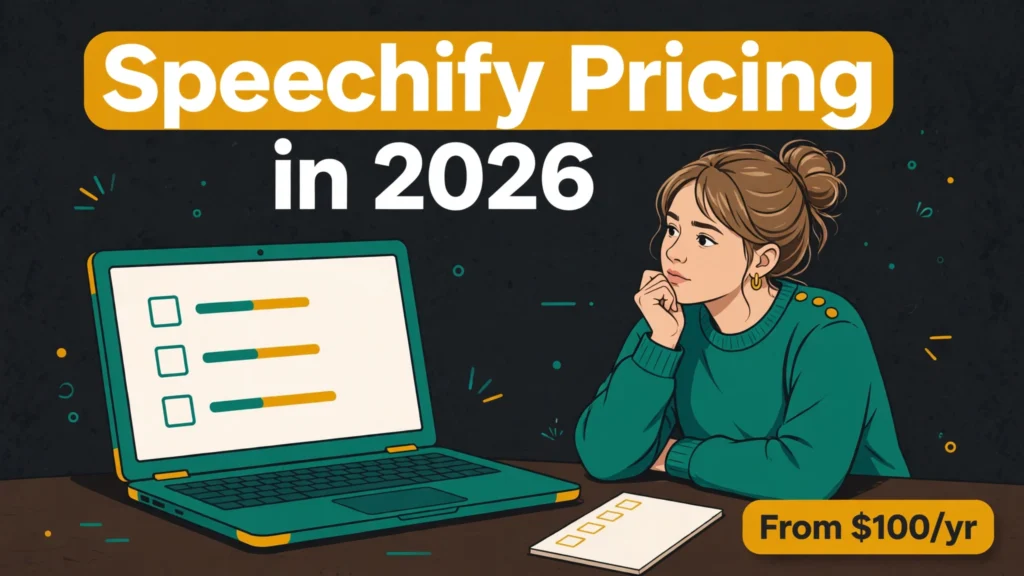
- Studio Starter — $100 a year, annual only. 86,400 credits a year (7,200 a month), roughly 2 hours of voiceover a month, commercial rights included. About $0.07 per finished minute — one of the cheapest commercial voice rates I’ve found this year.
- Studio Creator — $300 a year, annual only. 345,600 credits a year (28,800 a month), roughly 8 hours of voiceover a month. About $0.05 per finished minute. The official page lists no extra features beyond four times the credits.
- Studio Enterprise — custom quote. No price published; you talk to sales.
- The monthly option is gone. The $19/$49 monthly prices you still see quoted in 2026 reviews were real earlier this year and are now stale. Studio switched to annual-only around October 2026.
- Reader Premium is a different product. $29 a month or $139 a year, for listening to articles and PDFs read aloud. Personal use only — its terms say so outright. It does not buy you commercial voiceover rights.
- The catch to know about: Speechify’s help centre says monthly credits expire at the end of each billing cycle, while one recent review claims up to two months of rollover. The pricing page itself says nothing. Treat credits as use-it-or-lose-it until checkout tells you otherwise.
Want the detail? Keep reading. The rest of this article is the math behind those bullets — and the trap that catches people who buy the wrong Speechify.
Speechify Studio pricing at a glance
Speechify Studio is the product this article is about: a web app for turning text into voiceover, dubbing video, and (soon) generating avatar video. One subscription, three paid tiers, and the whole thing is billed once a year.
| Plan | Price | Credits / year | Voiceover / month | Commercial rights |
|---|---|---|---|---|
| Free | $0 | 600 | ~10 min (total) | No |
| Starter | $100 / year | 86,400 (7,200/mo) | ~2 hrs | Yes |
| Creator | $300 / year | 345,600 (28,800/mo) | ~8 hrs | Yes |
| Enterprise | Custom | — | — | Yes |
Two things jump out. First, there’s no monthly column, because there’s no monthly billing — $100 and $300 are the prices, paid once a year. That works out to about $8.33 and $25 a month if you like thinking in monthly terms, but you can’t actually pay monthly. Second, Creator costs three times Starter and gives you exactly four times the credits, with — and this is the honest part — no extra features listed on the official page. “Everything in Studio Starter” is the whole description. Creator is a volume buy, not a feature upgrade, and you should only pay for it if you’ll actually use the extra hours.
All Studio plans include the same 1,000+ realistic voices, the Voiceover Studio, Dubbing Studio and Voice Changer. Studio voices cover 20 languages on the FAQ’s list — English, Spanish, French, German, Portuguese, Italian, Chinese (simplified and traditional), Finnish, Hindi, Japanese, Korean, Norwegian, Polish, Turkish, Swedish, Thai, Russian, Danish and Dutch. Don’t confuse that with the reader app’s 60+ languages; that’s the other product. Speechify also says it’s SOC 2 approved, which matters if you’re producing client work and your client asks.
How Speechify credits actually work
Credits are Speechify Studio’s one currency, and they cover everything: voiceovers, dubbing and avatar video all draw from the same balance. The burn rates are published on the official pricing page FAQ, and they’re worth knowing before you pick a plan, because not everything costs the same:
- Voiceover: 1 credit per second. A 10-minute narration costs 600 credits. This is the rate all the cost math in this article uses.
- Dubbing: 3 credits per second. Dubbing a 10-minute video costs 1,800 credits — three times the voiceover rate.
- Avatar video: 30 credits per second. A one-minute avatar video costs 1,800 credits, the same as ten minutes of plain voiceover. Avatar work eats a balance fast.
A few details from the FAQ that matter in practice:
- Re-generating costs credits, re-exporting doesn’t. Generate a script twice and you pay twice. Change the pitch, speed or emotional tone and it re-runs the AI, so that costs credits too. But re-exporting audio you’ve already generated is free, and volume-only tweaks are free.
- Rollover is a genuine conflict. Speechify’s help centre says monthly credits expire at the end of each billing cycle, and that top-ups exist if you run short. But a November 2026 review claims unused credits roll over for up to two months on paid plans. The Studio pricing page itself says nothing at all. I’m going with the help centre — it’s Speechify’s own support documentation — and treating credits as use-it-or-lose-it unless the checkout page says otherwise. If you buy Starter expecting to bank quiet months, confirm the rollover question in writing first.
- Top-ups exist, prices don’t. You can add credits on demand without changing your plan, but no top-up price is published anywhere I could find. Top-up purchases are also final — no refunds on them, per the refund policy.
Here’s the mental model I ended up with: your yearly credits are a tank of fuel, voiceover sips it, dubbing drinks it three times as fast, and avatar video gulps it thirty times as fast. Once that clicks, the plan choice gets simple — it’s just a question of how many minutes you actually produce.
Free plan: $0
The free Studio plan gives you 600 credits — about 10 minutes of voiceover — with the full 1,000+ voice library to try, plus the Voiceover Studio, Dubbing Studio and Voice Changer. No card required, and the FAQ says you can use it for as long as you want. That’s a real trial, not a 7-day countdown.
Ten minutes is enough to test whether Speechify’s voices fit your project, try a few voices on your own script, and hear how the studio handles your kind of content. But it comes with two limits that matter more than the minute count.
First: no commercial rights. The free plan explicitly excludes commercial usage. Anything you make on it is for testing and personal use only — not for a monetised video, a client project or a product.
Second: no MP3 download. You can generate and listen inside the studio, but downloading your work as an MP3 needs a paid plan. That makes the free tier a listening room, not a production tool. Fine for its purpose, but don’t plan a project around it.
Who it’s for: anyone comparing voices before committing, and anyone who wants to hear Speechify’s voices on their own script before paying. If you’re making anything for real users or real money, move on to Starter.
Starter plan: $100 a year
Starter is the plan this whole article is really about, because it’s where Speechify stops being a demo and starts being a tool — and because at $100 a year it’s one of the cheapest commercial voice plans I’ve priced in this whole series.
For $100 a year you get 86,400 credits — 7,200 a month — which works out to about 2 hours of voiceover a month, or 24 hours over the year. You get the same 1,000+ voices, the Voiceover and Dubbing Studios, the Voice Changer, stock music, video, images and sound effects, and — the important one — commercial usage rights. Speechify’s FAQ says you own the audio output and the commercial rights in perpetuity on paid plans. AI video and sound-effect generation are listed as “coming soon” on the Starter card.
Let’s do the cost math, because this is where Starter shines:
- About $0.07 per finished minute of voiceover. A hundred dollars divided by 1,440 minutes a year. That’s roughly two and a half times cheaper than ElevenLabs Creator at about $0.18 a minute, and less than half of Murf Creator at about $0.16.
- A 10-minute YouTube script costs about $0.69 to voice. Six hundred credits at $0.001157 per credit. A 20-minute video runs about $1.39.
- Dubbing costs about $0.21 per minute. Three credits a second adds up, so a 10-minute dubbed video costs about $2.08 in credits.
- Avatar video is the expensive one: about $2.08 per minute. Thirty credits a second means a single minute of avatar video costs what 30 minutes of voiceover costs. Keep avatar work short or budget for it separately.
Starter’s real weakness isn’t the price — it’s the commitment. One hundred dollars up front, once a year, with no monthly option to test the waters first. And the refund window is tight: you get 7 days from the subscription date, including any trial, and on an annual plan you only qualify if you’ve used 2 minutes or less. Generate a couple of test videos and the refund door closes. That’s not unusual in this market — ElevenLabs and Murf have their own tight windows — but it means the free plan is your real trial. Use all 600 free credits before you pay.
Who it’s for: YouTubers, podcasters and course creators narrating their own scripts — anyone producing up to about 2 hours of voiceover a month who can commit to a year. At $100 a year, it’s hard to argue with, as long as you know you’re buying a year, not a month.
Creator plan: $300 a year
Creator is Starter with four times the credits and three times the price: $300 a year for 345,600 credits — 28,800 a month — which works out to about 8 hours of voiceover a month, or 96 hours over the year. The official page lists no additional features beyond the bigger allowance. No extra voices, no extra tools, no team seats published. It’s a volume buy, plain and simple.
The cost math:
- About $0.05 per finished minute of voiceover. Three hundred dollars divided by 5,760 minutes a year — the cheapest subscription voiceover rate in my whole pricing series except Cartesia’s $0.04.
- A 10-minute YouTube script costs about $0.52 to voice. Same script, 17 cents cheaper than on Starter.
- Dubbing costs about $0.16 per minute; avatar video about $1.56 per minute. Still the priciest thing you can do in Studio, just slightly less so.
- Annual billing saves nothing here, because there’s no monthly price to compare against. The saving is against buying Starter and running dry: if you used 8 hours a month on Starter’s allowance, you’d need top-ups at unpublished prices, or a second subscription. Creator avoids that — if you actually use the hours.
That “if” is doing a lot of work. Eight hours of voiceover a month is a lot of speech — a daily podcast, a full audiobook chapter every few days, or a small agency’s whole output. If you’re producing two hours a month, Creator wastes $200 a year on credits you’ll never burn, and if the help centre is right that credits expire each cycle, those unused credits just vanish. Start on Starter. When you find yourself rationing credits in the last week of the month, that’s your signal to upgrade.
Who it’s for: heavy users — audiobook producers, podcast networks, agencies producing client voiceovers, and anyone generating more than about 4 hours of speech a month. If you’re reading this section wondering whether you need it, the honest answer is probably not — yet.
Enterprise: custom quote
There’s no published Enterprise price. Speechify’s FAQ says to reach out to the sales team for enterprise pricing, which in practice means volume-based custom quotes, probably with API access and support terms attached. If you’re generating enough speech to need a custom quote, you’re past the point where a $300-a-year plan makes sense anyway — talk to sales and negotiate on volume.
One thing to note: the Speechify API is a separate product with its own pricing (speechify.ai/pricing), repriced on November 12, 2026, with the new Simba 3.5 model at $15/$12/$10 per million characters across its three tiers. If you’re building an app rather than narrating scripts, that’s a different conversation from Studio — don’t confuse the two price lists.
The reader trap: Premium is $29 a month, and it isn’t Studio
This is the section that might save someone $29 a month, so let me be blunt about it. Speechify sells a second product under the same name — the Speechify reader app, which reads articles, PDFs and books aloud to you — and its Premium plan costs $29 a month or $139 a year (about $11.58 a month, which the site labels “SAVE 60%”). It is a listening tool. It is not a voiceover tool. And it does not give you commercial rights.
The reader’s own terms say so outright: the services, with the exception of Speechify Voice Over Studio, are not intended for commercial use, and the reader is limited to personal non-commercial use. Paying $29 a month for Premium buys you 1,000+ high-quality natural voices, 60+ languages, listening at up to 5× speed, Scan & Listen, AI summaries and chats, Google Drive, Dropbox and OneDrive integrations, Voice Typing, AI Podcasts and a Voice AI Assistant. What it does not buy you is the right to use anything it reads aloud in a video, a podcast or a product.
The free reader gives you 10 robotic-sounding voices and listening up to 1.5× speed. Premium’s trial is 3 days according to the terms — some 7-day offers have been seen in the market — it needs a card, and it auto-converts to $139 a year unless you cancel. The help centre advises cancelling at least 24 hours before the trial ends.
Here’s how the confusion happens in practice: you search “Speechify pricing,” land on the reader pricing page, see $29 a month, and assume that’s the voiceover tool. Or you see $19 a month quoted in an old review — also wrong now, since the live reader price is $29 — and budget around it. The two products don’t share a subscription, and neither price buys you the other product. If you want to listen, Premium is the plan. If you want to create voiceover you can sell, you need Studio Starter at $100 a year. Different checkout, different rights, different price.
One more reader detail worth a line: Premium subscribers are guaranteed up to 1,000,000 Premium-voice words a month through December 31, 2026, with a contractual floor of 150,000 words a month, according to third-party reporting that cites Speechify’s terms. That guarantee runs out at the end of the year. It’s a listening allowance, not a production one — but if you listen a lot, it’s worth knowing it exists.
Refunds: 7 days, and the trial eats into them
Speechify’s refund policy is published on its own page, and it’s one of the tighter ones I’ve read in this series — worth knowing before you pay, because the window is shorter than it looks.
- 7 days from the subscription date, including any trial period. That’s the window for refund requests, and it starts when you subscribe, not when the trial ends. With a 3-day trial, about 4 days remain after your first charge. With a 7-day trial, the window can close on the day of the first charge itself.
- Annual plans only qualify if barely used. A Studio annual plan gets a refund only if you’ve used 2 minutes or less. The reader’s annual plan only qualifies if you’ve used 500 HD words or less. Generate a couple of real videos and you’re past the line.
- Monthly, quarterly and discounted subscriptions are non-refundable. Top-up purchases are final. No partial refunds.
- App Store and Google Play purchases are a final sale. Speechify gives no refund there; Apple’s or Google’s policy applies instead. Buy on the website if the refund window matters to you.
- How to ask: a help-desk request or an email to support@speechify.com, within the 7 days.
There’s also a reputation footnote worth mentioning, honestly labelled as third-party context rather than something I verified myself: Speechify carries an F rating from the BBB, with dozens of complaints that mostly describe trial-to-annual-charge billing surprises. I haven’t verified those complaints individually, and a BBB rating isn’t proof of how your own purchase will go — but combined with a 7-day window that includes the trial, it’s a reason to set a calendar reminder the day you subscribe, and to read the checkout page carefully before you pay.
Does Speechify have an affiliate program?
Yes — and it’s a real one, though the details are messier than the headline. Speechify’s own blog says 40% commission on every qualifying sale, with per-referral caps of up to $55 per Premium subscription, up to $115 for AI VoiceOver Studio Basic and up to $154 for AI VoiceOver Studio Pro. Two problems with quoting that cleanly: “Basic” and “Pro” are old plan names — today’s Studio plans are Starter and Creator — so those caps may not map to the plans people actually buy now. And a third-party source says 30%, which contradicts Speechify’s own blog. I’m quoting the 40% figure because it’s what Speechify itself publishes, with the caveat that the caps use retired plan names.
The attribution window is also stated two different ways: the affiliates signup page says a purchase counts if it’s made within 60 days of the click, while the official blog says the purchase window is 90 days, with a 30-day tracking cookie. I can’t resolve that from the outside — verify at signup which number your account actually gets.
Signup is open at speechify.com/affiliates — create an account, get a unique referral link, and the blog says there are no caps on earnings. But the payout method, the payout threshold and the payout cadence aren’t published on the affiliates page at all, so I can’t tell you how or when you’d get paid. The terms also ban Craigslist promotion, incentivised traffic, call centres, brand bidding without approval, and misleading content — break those and you risk removal from the program.
For the record: Affitrove isn’t enrolled in the Speechify program yet, so the links in this article are plain links. If that changes, I’ll say so — and Speechify links will stay in articles and reviews only, never on my discounts page, until the program’s own rules are confirmed.
Is there a Black Friday deal for Speechify in 2026?
Not that I could find. As of November 13, 2026, Speechify has not announced a Black Friday 2026 deal — no discount code, no sale banner, nothing dated. One Black Friday tracker noted a generic, undated “30% off” banner back on November 5, but that’s not a 2026 Black Friday offer, and there are no typed promo codes for Speechify at all: the deals auto-activate when they’re live.
The history says a deal is plausible. Speechify has run 30–50% off annual plans around Black Friday and Cyber Monday in past years, and back-to-school too. Black Friday is November 27 this year, so something could still appear in the next two weeks. But past offers are not a promise for 2026, and I wouldn’t plan a purchase around a deal that doesn’t exist yet. If you’re buying Studio anyway, the $100 Starter price is already cheap enough that waiting two weeks for a maybe-discount is a judgement call, not an obvious win. Check the checkout page before you pay — that’s where a live offer would actually show up.
Cost per minute: Speechify vs the competition
Most people reading this are choosing between Speechify and one of the other voice tools, so let’s put the numbers side by side. I’ve covered the other four in detail — my ElevenLabs pricing breakdown, my Murf pricing explainer, my Cartesia pricing explainer and my Fish Audio pricing explainer — and the head-to-head is in my ElevenLabs vs Fish Audio comparison. Here’s the short version.
| Price | Cost per minute | Commercial licence | |
|---|---|---|---|
| Speechify Studio Starter (annual) | $100/yr | ~$0.07 | Yes |
| Speechify Studio Creator (annual) | $300/yr | ~$0.05 | Yes |
| Cartesia Pro | $5/mo | ~$0.04 | Yes |
| Fish Audio Plus (annual) | $11/mo | ~$0.055 | Yes |
| Fish Audio API (s2.1-pro) | $15/1M chars | ~$0.021 | Yes |
| ElevenLabs Creator (annual) | $18.33/mo | ~$0.18 | Yes |
| Murf Creator (annual) | $19/mo | ~$0.16 | Yes |
Speechify’s subscription rates sit near the cheap end: Creator’s $0.05 a minute is beaten only by Cartesia’s $0.04 and Fish Audio’s pay-as-you-go API at about $0.021. Against ElevenLabs and Murf, Speechify is roughly two and a half to three times cheaper per finished minute. The trade-off is the annual-only commitment — ElevenLabs, Murf, Cartesia and Fish Audio all let you pay month to month, so you can leave after a month. Speechify wants $100 or $300 up front, and the refund window is 7 days with a 2-minute usage cap. Cheap per minute, expensive to walk away from.
Price isn’t the whole story, of course. ElevenLabs still has the biggest voice library and the most mature dubbing and studio tools — that’s what its premium buys. Murf has the strongest studio workflow for video teams. Cartesia is the latency king for voice agents, and its credits roll over up to twice your allowance. Fish Audio has multi-voice Drama 3 dialogue and an API so cheap it changes what kinds of products are viable. Speechify’s case is different: the cheapest way to narrate a lot of scripts on an annual plan, with dubbing and avatar video in the same subscription. If you narrate steadily and you can commit to a year, Speechify wins on the numbers. If you want the best-sounding single narrator and you don’t mind paying for it, ElevenLabs still has a case. And if your usage is spiky — busy months and quiet months — Cartesia’s rollover or Fish Audio’s API will waste less of your money.
Voice cloning: the page doesn’t say, so check at checkout
Here’s the one thing about Speechify Studio that I couldn’t settle from the official page, and I want to be straight about it. The Studio pricing page does not list voice cloning on any plan card — not Free, not Starter, not Creator. That’s odd, because multiple 2026 reviews report that paid Studio plans include cloning from a 20–30 second sample, included from Starter, with a commercial licence. One review says cloning is “not listed” on the page and then claims it’s listed only on Enterprise, which contradicts the consensus and probably confuses Studio with another product.
I’m not going to state cloning as a confirmed Starter feature when Speechify’s own pricing page doesn’t list it. If voice cloning is the reason you’re buying Studio — cloning your own voice for narration, for example — confirm it at checkout before you pay, and get it in writing from support if it matters to your workflow. On the API side, cloning is confirmed, with a 10–30 second sample plus a spoken consent recording that’s been mandatory since September 23, 2026. The Studio side just isn’t documented clearly enough to quote as fact.
Which Speechify plan should you pick?
Forget the feature tables for a minute. Pick by what you’re actually doing:
- Testing voices or comparing tools? Studio Free. Ten minutes is enough to hear the voices on your own script and decide whether Speechify fits. Just don’t build anything commercial on it, and remember you can’t download the audio.
- Narrating videos, podcasts or courses? Starter, at $100 a year. At about seven cents a minute, a ten-minute video costs sixty-nine cents to voice, and the commercial licence covers you. Use all 600 free credits first, then pay.
- Producing more than 4 hours of speech a month? Creator, at $300 a year. The per-minute rate drops to about five cents, and you stop rationing credits. Don’t buy it before you need it — start on Starter and upgrade when the credits run dry in the last week of the month.
- Just want to listen to articles and PDFs? Reader Premium, $29 a month or $139 a year — but know what you’re buying: a listening app, personal use only, no commercial rights. Don’t pay for Premium expecting Studio.
- Building an app or a product? Look at the Speechify API, not Studio. It’s a separate product with its own pricing, and the Simba 3.5 model launched October 21, 2026. Subscriptions and API credits are different bills.
- Unsure between Starter and Creator? Start lower. The one thing Speechify doesn’t clearly give you is rollover, so a quiet year on Creator wastes far more than a quiet year on Starter. You can upgrade whenever the credits run dry.
And if you’re looking for a genuinely free voice for commercial use, not just a trial — that’s a different question, and I wrote a whole guide to it: 7 free text-to-speech tools with commercial use. Speechify’s free tier isn’t on that list, because of the licence and the missing download. Worth knowing before you build on it.
Frequently asked questions
Is Speechify Studio really only $100 a year?
Yes. Starter is $100 a year, annual only, for 86,400 credits — about 2 hours of voiceover a month. There is no monthly option anymore; the $19-a-month Starter price you still see quoted in older 2026 reviews was real earlier this year and is now stale. The $29-a-month price you’ll see advertised is the reader app, a different product.
What’s the difference between Speechify Studio and Speechify Premium?
They’re two separate subscriptions under one brand. Studio ($100 or $300 a year) is the voiceover creation tool — you write a script, pick a voice, generate audio you can use commercially. Premium ($29 a month or $139 a year) is the reader app — it reads articles, PDFs and books aloud to you for personal listening. Premium does not grant commercial rights, and neither subscription includes the other.
Do Speechify Studio credits roll over?
Probably not, but I can’t state it as settled. Speechify’s help centre says monthly credits expire at the end of each billing cycle, while a November 2026 review claims unused credits roll over for up to two months on paid plans. The Studio pricing page itself says nothing. Treat credits as use-it-or-lose-it unless the checkout page says otherwise, and plan your usage around the monthly allowance — 7,200 credits on Starter, 28,800 on Creator.
Can I use the free plan commercially?
No. The free Studio plan explicitly excludes commercial usage rights, and you can’t download your audio as an MP3 on it either. Commercial use starts on the paid plans, where the FAQ says you own the audio output and the commercial rights in perpetuity.
Can I clone my own voice on Speechify Studio?
Probably, but confirm at checkout. Multiple 2026 reviews report voice cloning from a 20–30 second sample is included on paid Studio plans, but Speechify’s own pricing page doesn’t list cloning on any plan card. On the API side, cloning is confirmed, with a spoken consent recording mandatory since September 2026.
Is there a Black Friday deal for Speechify in 2026?
Not that I could find. As of November 13, 2026, Speechify has announced no Black Friday 2026 deal. In past years it has run 30–50% off annual plans around Black Friday and Cyber Monday, and Black Friday is November 27 — so something could still appear. Check the checkout page before you buy, and don’t budget around a discount that doesn’t exist yet.
Does Speechify have an affiliate program?
Yes. Speechify’s own blog says 40% commission on every qualifying sale, with a 30-day tracking cookie and a purchase window stated as 60 days on the signup page and 90 days on the blog. The per-sale caps quoted on the blog use retired plan names (Basic/Pro), so they may not map to today’s Starter and Creator plans, and the payout method and threshold aren’t published. Affitrove isn’t enrolled yet, so the links in this article are plain links.
Can I get a refund if Speechify doesn’t work for me?
Within 7 days of subscribing, including any trial period — and on an annual Studio plan, only if you’ve used 2 minutes or less. Monthly, quarterly and discounted subscriptions are non-refundable, top-ups are final, and purchases through the App Store or Google Play are a final sale. Set a calendar reminder the day you subscribe.
How much does a 10-minute YouTube voiceover cost on Speechify?
About $0.69 on Starter or $0.52 on Creator, at the published credit rates — 600 credits for 600 seconds of voiceover. Dubbing the same 10 minutes costs about $2.08 on Starter or $1.56 on Creator, because dubbing burns 3 credits a second. A one-minute avatar video costs about the same as 30 minutes of voiceover, so keep avatar work short.
The verdict
Speechify Studio’s pricing is genuinely cheap once you untangle the two traps on the page. Starter at $100 a year — about $0.07 a finished minute — is one of the best commercial voice deals I’ve found this year, and Creator at $300 a year drops that to about $0.05. The credits cover voiceover, dubbing and avatar video in one subscription, the commercial licence is clear on paid plans, and the free tier is a real trial with no card and no countdown.
The caveats are real, though. Monthly billing is gone, so you’re committing $100 or $300 up front with a 7-day refund window that includes your trial and closes after 2 minutes of use. The rollover policy is genuinely unclear — the help centre and a recent review disagree. Voice cloning isn’t listed on the pricing page at all, so don’t buy for cloning without confirming it. And the reader app, at $29 a month, is a different product with no commercial rights, wearing the same name.
My advice: use the free plan for an afternoon, hear the voices on your own script, then pay the hundred dollars — if you’re sure you’ll use 2 hours a month for a year. If your usage is spiky, or you need cloning confirmed, or you just want to pay month to month, look at Cartesia or Fish Audio instead. And whichever way you go, check the live page the day you pay. Speechify already changed its prices once this year, with no announcement I could find. It could do it again.
Prices checked November 13, 2026, against speechify.com/pricing-studio, speechify.com/pricing, speechify.com/refund-policy and speechify.com/affiliates. Speechify changed its billing model once this year — monthly options removed around October — so re-check at checkout before you pay.
References
- Speechify Studio pricing — speechify.com/pricing-studio (checked November 13, 2026; Starter $100/yr and Creator $300/yr annual-only, credit allowances, burn rates, 1,000+ voices, 20 Studio languages — all read directly from this page)
- Speechify reader pricing — speechify.com/pricing (checked November 13, 2026; Premium $29/mo or $139/yr, free reader limits, Premium features)
- Speechify refund policy — speechify.com/refund-policy (checked November 13, 2026; 7-day window including trial, 2-minute Studio annual cap, non-refundable categories, app-store final sale)
- Speechify affiliates — speechify.com/affiliates and the official affiliate blog post (checked November 13, 2026; 40% commission, 30-day cookie, 60-day vs 90-day purchase-window conflict, per-sale caps on retired plan names)
- Speechify help centre — credit expiry and top-ups (monthly credits expire at billing-cycle end)
- Speechify API pricing — speechify.ai/pricing (separate product; Simba 3.5, November 12, 2026 repricing, cloning consent requirement)
- Affitrove — ElevenLabs Pricing in 2026: Credits Explained; Murf Pricing in 2026: Plans Explained; Cartesia Pricing in 2026: Plans Explained; Fish Audio Pricing in 2026: Plans Explained; ElevenLabs vs Fish Audio in 2026; 7 Best Free Text-to-Speech Tools With Commercial Use in 2026