Claude Artifacts Are Now Desktop Apps: Install as App Beta Explained
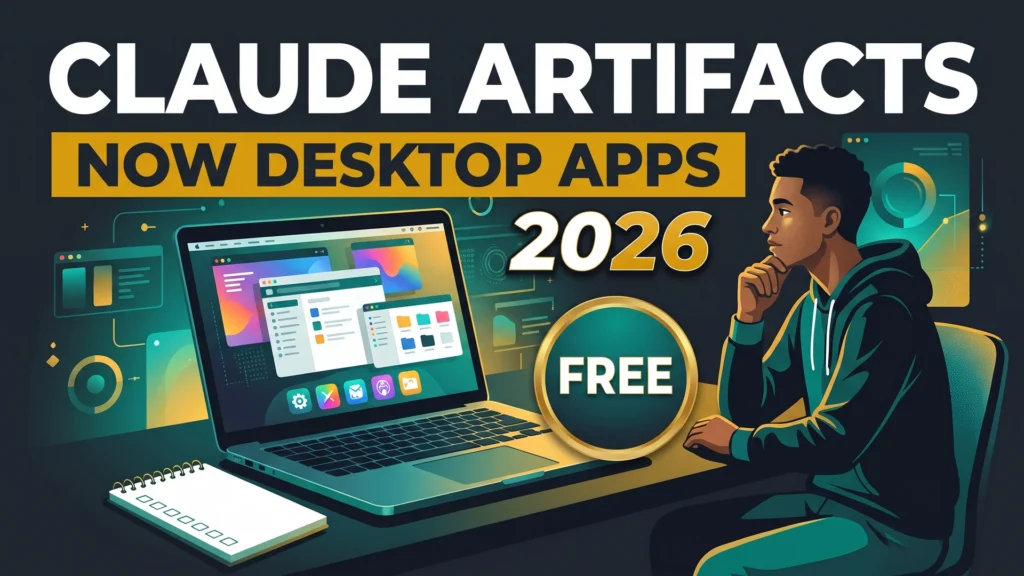
Here’s a sentence I didn’t expect to write this year: you can now build a desktop app by describing it to a chatbot, click one button, and watch it land on your Mac or Windows machine with its own icon. That’s what Anthropic shipped on Monday, 24 November, under the name “Install as app” — and it turns Claude Artifacts from things that live inside a chat window into things that live on your desktop.
If you’ve used Artifacts before, you know the old shape of them. You ask Claude for a little tool — a calculator, a dashboard, a small game — and it appears in a panel next to the conversation. Useful, but trapped. Close the chat and the tool is just a link you have to dig up again. Install as app breaks that wall. The artifact gets its own window, its own icon, and a permanent spot on your machine, like software you downloaded from anywhere else.
I’ve read Anthropic’s announcement and the full Help Center guide, and checked the live pricing page this morning. Here’s what this actually does, what it costs (spoiler: the free plan is included), and the catches you should know about before you grant any of these apps full access to your computer.
Prices checked 25 November 2026. Anthropic doesn’t run an affiliate program for Claude, so there are no affiliate links in this article — every link below is a plain link to a source, and I don’t earn anything if you sign up.
The short version
- Install as app launched in beta on 24 November 2026 for Claude on Mac and Windows. It turns an artifact into a standalone-feeling desktop app with its own icon and window.
- It’s on every plan, including Free. Team workspaces get it by default with full access switched off; Enterprise stays off until an owner enables it.
- Installing is one click. No packaging, no signing, no API key. The app updates itself whenever the underlying artifact is edited.
- Permissions come in three levels — Default, App permissions, and Full computer access. That top level can run programs and read, change, or delete your files without asking each time. Treat it with respect.
- These apps are not offline software. You must be online and signed in to Claude to open one, and everything the app asks Claude counts toward your plan’s usage limits.
- Claude Docs, Slides, and Sheets artifacts can’t be installed. This is for interactive artifacts — tools, dashboards, editors — not documents.
What Install as app actually does
Anthropic’s announcement headline says it plainly: “Turn artifacts into Mac and Windows apps.” The feature is rolling out in beta inside Claude for Mac and Claude for Windows — desktop only for now. There’s no Linux, web, or mobile version at launch.
The flow is almost embarrassingly simple compared with how software normally gets made. You describe the app you want to Claude. It builds it as an artifact, the way it always has. You try it in the chat. Then you click “Install as app” — you’ll find it on the artifact and under the Share menu — and Claude asks you to confirm. That’s it. No build step, no code signing, no developer account, no separate login, no API key to paste anywhere. The app runs on your existing Claude account.
Once installed, the app behaves like a real desktop citizen. It has its own icon. It opens in its own window instead of inside Claude. It can send you notifications. It can add a menu bar item on a Mac or a system tray icon on Windows — and if it has one of those, it keeps running after you close its window, until you quit it properly from the Dock or the tray. It can use Claude and your connected tools behind the scenes. And when the artifact it came from gets edited, the installed app updates automatically. You never reinstall anything.
That last part is the quiet revolution here, and I don’t use that word lightly. Normally, shipping an update means rebuilding, re-signing, and hoping your users bother to download the new version. Here, editing the artifact is the update. Fix a bug in the chat, and every installed copy quietly becomes the fixed version.
If you don’t see the install option yet, update Claude Desktop first — Claude, then Check for Updates on a Mac; Help, then Check for Updates on Windows. Beta rollouts like this one also tend to arrive in waves, so a missing button today may simply mean your account’s turn hasn’t come.
The three permission levels — read this part twice
This is where I want you to slow down, because the permission model is the whole ballgame. An installed artifact is still, underneath, code that an AI wrote. Anthropic knows that, and the permission system is built around it. There are three levels, and the app has to ask — you answer “Allow” or “Don’t allow” for each request.
Default is the floor. An app at this level can only do what it could do inside a browser. If you install something and never grant it anything, this is where it lives, and it’s the safest place for anything you didn’t build yourself.
App permissions lets an app ask for desktop-flavoured abilities that Claude tightly controls: notifications, global keyboard shortcuts, floating always-on-top over other windows (that one also reads your mouse cursor position), and a menu bar or system tray presence. Handy stuff — a performance monitor that lives in your menu bar needs exactly this level and nothing more.
Full computer access is the top level, and Anthropic doesn’t dress it up: apps at this level can ask to run programs and to read, change, or delete files without asking each time. Read that again. Not “with your approval on each file” — without asking each time. Anthropic’s own guidance is that full access is only for apps you made yourself, or on Team and Enterprise plans, apps made by your organisation. I’ll go further: it’s only for apps you made and understand.
A few details of how the grants work deserve attention, because they’re more thoughtful than I expected. An “Allow” covers one version of the app only — edit the artifact, and Claude asks again after the update, even for your own edits. Turning full access off stops programs the app started (except ones it deliberately detached), though it can’t undo file changes the app already made. If someone shares an app with you and later cuts off your access, its programs stop within about twenty minutes. And uninstalling an app removes its permissions without deleting the artifact itself, so you can always reinstall later.
Now the two honest warnings. First, Anthropic does not review apps before you install them. There’s no app-store-style gatekeeper checking that a shared artifact does what it claims. Second, there’s a loophole Anthropic discloses itself: code an app loads from another website can change without triggering a new permission request. So an app you approved on Monday could, in principle, pull different code on Friday and your approval still stands. That combination — no pre-review, plus remotely changeable code — is exactly why the Default level exists, and why full access should stay rare.
The five demo apps Anthropic showed off
Anthropic linked five example apps in the announcement, all built by people at the company, and they’re a good map of what this feature is for:
- Linnet — a full layered image editor. This is the “wait, really?” example: not a toy, an actual editing tool with layers, living on the desktop.
- Phosphor — a file manager Anthropic describes as one “that looks made for a movie set.” Proof that these apps can look like designed products, not grey utility boxes.
- Sift — sets up folder rules and uses Claude to keep your files organised. This is the kind of personal automation people have wanted for years and never quite got from a settings page.
- Tern — a terminal with Claude alongside to help and explain. The developer-flavoured entry in the list.
- Vitals — a menu bar and tray app for peeking at your computer’s performance. Small, glanceable, always there — the classic desktop-widget shape.
Look at that spread for a second. An image editor, a file manager, an organiser, a terminal, a system monitor. None of these is a chat interface with a costume on. They’re the small, specific tools people usually either buy, download from a stranger’s GitHub, or do without. The pitch here is that you describe the exact one you need and it exists on your desktop a minute later. When it works, that’s a genuinely new way to get software.
What it costs
The headline first: Install as app is rolling out in beta on all plans, and “all” includes the free one. If you have a free Claude account and the desktop app, you can try this today without paying anything. Here’s the plan picture as of this morning, checked live on Claude’s pricing page:
- Free — $0. Limited usage that resets in windows, and it includes creating artifacts. Enough to build a small tool and install it.
- Pro — $20/month billed monthly, or $17/month on the annual plan ($200 billed up front). The sensible step up if you find yourself building apps weekly.
- Max — $100/month. Five times Pro’s usage, for people who live in Claude all day.
- Ultra — $200/month. Ten times Pro’s weekly usage with no five-hour limit for verified accounts. Heavy builders only.
- Team and Enterprise — per seat. Enterprise is listed at $20 per seat per month plus usage billed at API rates, on annual billing. For this feature specifically: Team gets Install as app on by default with full access off, Enterprise gets it off until an owner turns it on, and HIPAA-ready organisations and hybrid deployments can’t use it at all.
One cost detail hides inside the feature itself: building an app counts toward your plan’s usage limits, and so does every request the installed app makes to Claude while you use it. An app that chats with Claude constantly — Sift-style organisers, Tern-style helpers — will chew through a free plan’s allowance faster than you’d guess. Prices exclude tax and Anthropic notes they can change, so the live pricing page wins if anything here looks different when you click through.
The catches
I’ve been positive so far, so let me balance the ledger, because there are real limits here and some of the launch coverage skips them.
These apps need the internet and your Claude sign-in to open. No offline use. A “desktop app” that won’t launch on a plane is a strange beast, and AppleInsider called this requirement a “massive limitation” next to normal desktop software. They’re not wrong. What you’ve installed is closer to a local window onto a cloud service than a self-contained program.
Not every artifact can become an app. Claude Docs, Slides, and Sheets artifacts can’t be installed — Anthropic’s wording is “some kinds of artifacts can’t be installed,” with those three named. If your workflow is documents, this feature isn’t aimed at you yet.
It’s a beta, on two platforms. Mac and Windows only, rolling out gradually. Beta means the permission prompts, the update behaviour, and the admin controls can all shift under you. On Team plans there’s no per-person granularity mentioned for this feature — it’s on, with full access off — while Enterprise owners decide whether it exists at all. If you’re the person who owns that toggle, the sensible move is to leave Enterprise off until you’ve decided which internal apps deserve to exist.
The trust model rests on you. No pre-install review, remotely loaded code that can change silently, and a top permission level that can delete files without asking. Anthropic’s controls are real — per-version re-approval is a genuinely good design — but they only protect you if you read the prompts instead of clicking through them. This is the same lesson Claude’s computer use taught teams earlier this month, when Anthropic warned there was no sandbox between Claude and your applications; I covered that launch here, and the mindset carries straight over.
Who should actually use this
Here’s my honest sorting. If you’re a tinkerer who constantly wishes for tiny tools — a converter shaped exactly like your workflow, a dashboard for the three numbers you actually watch, a renaming utility for your photo folders — this is built for you, and the free plan is enough to find out. Build it, install it, keep it at the Default permission level, and you’ve risked nothing.
If you run a small team, the interesting version of this is internal tools. The spreadsheet-shaped process that only your team understands, the checklist app for your onboarding flow, the little formatter for your reports — these are exactly the apps that never justified hiring a developer and never quite fit an off-the-shelf product. Anthropic has been pushing Claude toward team workflows all month — Claude Ship, which reviews and fixes pull requests, launched the day before this did, and I wrote that one up here. Install as app is the same bet from the other direction: software your team describes into existence.
And if you’re cautious by temperament — good. Stay at Default, install only your own creations, and let other people discover the beta’s rough edges. The feature will still be there, better, when the beta label comes off.
Where I land on it
I keep coming back to how the effort equation flipped. For thirty years, getting a custom desktop tool meant finding a developer, or becoming one, or settling for software built for somebody else’s workflow. Install as app compresses that to a conversation and a click — and then, almost as an afterthought, solves the update problem too, because editing the artifact updates every installed copy.
The limits are real and I’ve listed them without softening: online-only, sign-in required, usage metered against your plan, documents excluded, no pre-install review, and a full-access tier that can do genuine damage in careless hands. This is a beta, and it behaves like one.
But the direction is unmistakable. The distance between “I wish my computer did this one specific thing” and “it does now” just collapsed to about a minute, on a free plan, on the two platforms most people use. Build something small. Install it. Keep its permissions tight. You’ll understand the appeal faster from one working app on your own desktop than from anything I can write here — and if Anthropic’s five demos are any guide, the first thing you build won’t be the last.
Sources
- Anthropic — “Turn artifacts into Mac and Windows apps” (Install as app announcement), 24 November 2026 — claude.com/resources/articles/install-as-app
- Claude Help Center — Install an artifact as an app — support.claude.com
- Claude pricing, checked live 25 November 2026 — claude.com/pricing
- Notebookcheck, 24 November 2026 — Claude artifacts become desktop apps
- AppleInsider, 24 November 2026 — Claude can now turn artifacts into semi-independent Mac apps