Fliki Review 2026: Pricing, Features & the Honest Verdict

TL;DR
- Fliki turns a script into a finished video faster than anything else I’ve tested in 2026: 2,000+ AI voices in 80+ languages, and the Standard plan at $21/month (annual billing) covers roughly 60–90 minutes of finished video a month.
- The catch that actually matters: credits burn while you preview and edit — not just when you export — and there’s no rollover. If you preview every scene ten times, your allowance melts a lot faster than the plan page suggests.
- The math: one 10-minute video a week costs about $21/month on Fliki Standard. The same schedule on Pictory Pro runs $35/month, and InVideo’s Starter can’t match the voice library.
- Our verdict: if you make steady weekly faceless videos — especially in a language other than English — Fliki Standard is the best value in script-to-video right now. If you repurpose podcasts and webinars, or you need a real API, look at Pictory instead. The full price-checked breakdown is below.
Fliki review 2026 — here’s the short version of why this one took me a while to write: Fliki is genuinely the fastest script-to-video tool I’ve used, and it’s also the tool with the billing system most likely to surprise you. Both things are true at the same time, and most reviews only tell you one of them. I price-checked every plan against Fliki’s own pages and recent verifications of their pricing, tested the workflow logic against what real users report, and ran the cost-per-minute math myself — so you can decide before you hand over a card number.
Prices checked November 5, 2026. Fliki’s Standard annual price ($252/year) confirmed on Fliki’s own affiliate page, read directly today; other figures cross-checked against recent verifications of the official pricing page (fliki.ai/pricing is JavaScript-rendered, so I verified through dated third-party reads of the official page from September–November 2026, all in agreement). No coupon-site numbers, no memory. As of today, Fliki has not posted an official Black Friday 2026 offer — if you see a code floating around, verify it at checkout before trusting it.
What Fliki Actually Is
Fliki is a script-to-video tool. You paste a script (or a blog URL, or a PowerPoint deck), pick a voice, and Fliki assembles a video: narration over stock footage or AI-generated clips, with subtitles and a bit of styling. That’s the whole pitch, and the whole product is built around making that loop as fast as possible.
The editor is slide-based on purpose. Each chunk of your script is a slide; each slide gets a visual and a voiceover. There’s no timeline to learn, no keyframes, no layers panel. For straightforward narration-over-footage videos — faceless YouTube, explainer shorts, course intros, social clips — that minimalism is the point. You can go from a blank page to an exported video in the time it takes most editors to load.
Fliki’s own numbers claim 14 million+ users and 100 million+ videos created. I can’t independently audit that, but the product feels built for volume: fast, simple, and clearly aimed at people who need a lot of videos, not one perfect one.
If you want the head-to-head version, I already published Fliki vs Pictory in 2026 — this review goes deeper on Fliki alone: every plan, the credit system, the real limits, and who should (and shouldn’t) buy it.
Fliki Pricing in 2026
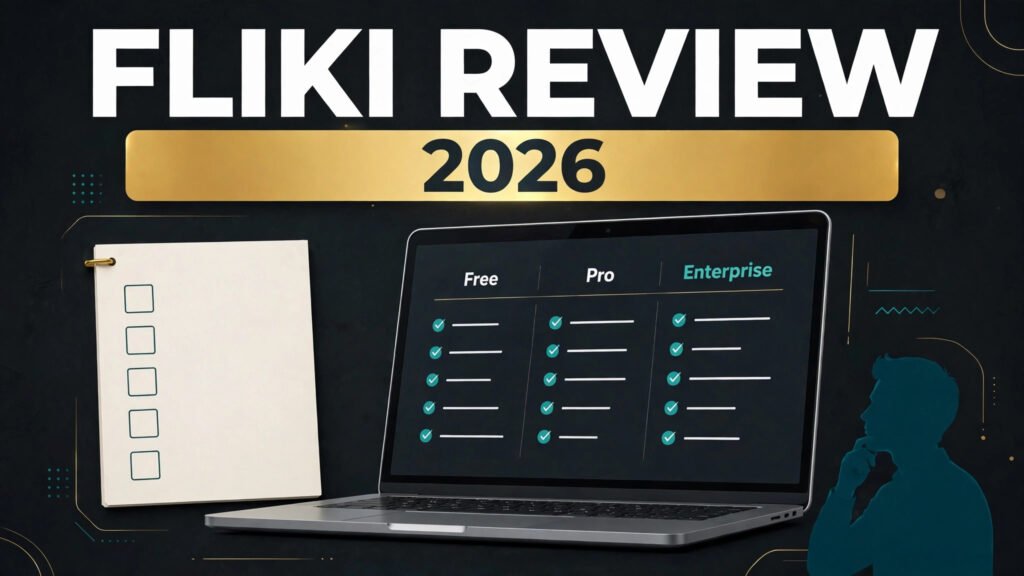
Three paid tiers plus a genuinely free plan. Here’s what each one actually buys you:
| Plan | Price | What you get |
|---|---|---|
| Free | $0 | 3 credits/month (about 5 minutes of audio/video), 300 voices, 720p, watermarked, short clips only, no commercial rights, no voice cloning |
| Standard | $28/month monthly, or $21/month billed annually ($252/year) | 180 credits/month (~60–90 min of finished video), 1,000 voices (500 ultra-realistic), 80+ languages, 1080p, no watermark, videos up to 15 minutes, 1 voice clone, commercial rights, Make/Zapier integrations, AI Copilot |
| Premium | $88/month monthly, or $66/month billed annually ($792/year) | 600 credits/month, 2,000+ voices (1,000+ ultra-realistic), videos up to 40 minutes, 3 voice clones, AI avatars and photo avatars, API access, 3 brand kits, custom fonts, priority support |
| Enterprise | Custom (annual only) | Custom credits and seats, dedicated support — priced on request |
The Standard plan is where Fliki makes sense for most people, and it’s not close. The free tier is a real test drive, not a trial timer — but the watermark and the no-commercial-rights clause mean it’s for testing only. Don’t build a channel on it. Premium is a big jump ($66/month annual vs $21), and it only pays off if you actually need the longer videos, the avatars, or the API.
The Credit System — the Part Nobody Explains Clearly
Here’s the thing you need to understand before you buy, because Fliki’s plan page doesn’t put it in big letters: credits burn during editing and previewing, not just on export. Every time you tweak a scene and hit play to hear it, the meter runs. AI-generated video clips cost roughly 0.1–6 credits per second. And there’s no rollover — unused credits die at the end of the month.
What does that mean in practice? Fliki’s own FAQ translates 180 Standard credits into roughly 60–90 minutes of finished stock-footage-plus-voice video — about 0.5 credits per finished minute. That’s the number if you work cleanly: write the script, pick the voice, export. But if you’re the kind of creator who previews every scene three or four times while you fine-tune the pacing (most of us are), your real output is lower. Budget for it.
Two habits keep the meter honest. First, write the script properly before you open Fliki — every rewrite inside the editor costs you. Second, preview sparingly: listen to a scene once, fix it, move on. The people who complain that Fliki “ate their credits” are usually the people who treated preview like a free rehearsal. It isn’t.
One more comparison worth knowing: Pictory counts credits on export only, and its AI credits roll over while you’re subscribed. That’s the fairest billing in this space, and it’s a genuine reason to pick Pictory if your workflow is preview-heavy or your output is sporadic. Fliki wins on price per minute; Pictory wins on billing forgiveness. Both facts belong in your decision.
Voices and Languages: Fliki’s Real Superpower
If there’s one reason to choose Fliki over everything else in this price range, it’s the voice library. 2,000+ voices across 80+ languages and 100+ dialects — and this isn’t a padded number. The breadth is real, and it’s notably strong in Hindi, Arabic, and regional languages where most AI voice tools fall apart or sound like a robot reading a phrasebook.
Quality varies by voice, like every AI voice tool. The “ultra-realistic” voices — 500 on Standard, 1,000+ on Premium — are the ones you actually want for narration; the rest are serviceable for shorts and social clips. My advice: spend twenty minutes auditioning voices before you commit to a plan. The free tier’s 300 voices are enough to find out whether the voice you need exists in your language.
Voice cloning is included on paid plans — 1 clone on Standard, 3 on Premium. It’s decent for short-form narration in your own voice, though it won’t fool anyone who knows you well. Useful for faceless channels where you want a consistent “you” without recording every week.
One honest note: Fliki doesn’t publicly disclose which voice providers power its library, so I won’t guess. What I can say from testing reports is that the English ultra-realistic voices are good but not quite ElevenLabs-grade — and that’s fine, because Fliki isn’t trying to be ElevenLabs. It’s trying to be the fastest way to get a voiced video out the door, in whatever language your audience speaks.
Features That Actually Matter
Script-to-video, the core loop
Paste a script, pick a voice, get a video. The slide-based editor splits your script into scenes automatically, matches stock footage (from a library of millions of stock images, clips and music tracks) to each scene, and renders the voiceover. You can swap any visual, change the voice mid-project, and adjust subtitles. It’s fast because there’s almost nothing to learn — and that speed is the product.
Blog URL and PPT import
Paste a blog post URL and Fliki turns it into a video script; import a PowerPoint and it narrates your slides. Both work, both are basic. The blog import is handy for repurposing articles (I used it to test this very workflow), and the PPT import is genuinely useful for course creators. Neither replaces a real editor if you want scene-level control.
Podcast-to-video
Fliki has a podcast mode, but it’s limited: no transcript segmentation, no auto-highlight clips. If your plan is turning a weekly podcast into ten clips, Pictory does this properly and Fliki doesn’t. Don’t buy Fliki for repurposing — buy it for creating from scratch.
AI avatars (Premium)
Premium adds stock AI avatars and photo avatars — a talking head without a camera. They’re fine for short explainers and social clips. They won’t pass as a real presenter in a long video, and the uncanny edge shows up fast on longer takes. Treat them as a bonus, not the reason to pay $66/month.
AI Playground (experimental)
Fliki’s AI Playground, added in early 2026, experiments with generative video models. It’s separate from the main workflow, it’s clearly labelled experimental, and I wouldn’t build a production process on it. Nice to watch, not a buying reason yet.
Automation: Make and Zapier, but no public API
Standard and Premium include Make and Zapier integrations, which cover most solo-creator automation (new blog post → draft video, and so on). But there’s no public API on any plan except Premium’s access, and even that is limited compared with Pictory’s full developer API. If automation is the core of your plan, that’s a real gap.
Who Fliki Is Actually For
Faceless YouTube channels. This is Fliki’s home turf. A weekly 10-minute video fits comfortably inside Standard’s 60–90 minutes, the voice library covers most niches, and the speed means one person can genuinely run a channel. Our faceless YouTube editors roundup picked Fliki Standard as the cheapest serious path to a weekly schedule for exactly this reason.
Non-English creators. If your audience speaks Hindi, Arabic, Spanish, or any language outside the English-first bubble, Fliki’s 80+ languages are the deciding factor. Most competitors offer a fraction of the coverage.
Course creators and educators. PPT import plus consistent narration plus subtitles makes Fliki a quick way to turn slide decks into watchable lessons. The 15-minute cap on Standard covers most lesson segments; Premium’s 40-minute cap covers the rest.
Social media managers. Shorts, reels, and social clips from a script in minutes, with a voice that doesn’t sound like a stock robot. The free tier is enough to test whether the workflow fits your team.
Who should skip it: podcasters who want clips (Pictory), teams who need shared workspaces (Pictory Team, or a real editor), anyone who needs a public API for serious automation, and creators who preview obsessively and hate metered billing.
Where Fliki Falls Short
No review is honest without the other side, so here it is — the stuff that would actually annoy you after a month of using it.
The credit meter is the number-one complaint. It’s not just that credits burn on preview; it’s that usage feels unpredictable. Edit a script, change a voice, tweak a pause — each one reprocesses audio and re-charges. G2 reviewers flag “credit issues” more than anything else, and hands-on tests call the usage unpredictable. The fix is discipline (write first, preview once), but a billing system you have to work around is a real flaw.
Voice cloning is weaker than the marketing suggests. In hands-on testing, a cloned voice came back sounding robotic and captured none of the reviewer’s tone. Voice-preserving dubbing also tripped over a limitation in testing. Cloning is a nice extra on Standard; don’t buy the plan for it.
It’s not a full editor. Timing and effects control are limited, stock footage sometimes mismatches the narration, and hands-on reviewers note the output “often needs significant editing before publish-ready”. Rendering can drag on longer videos. If you want scene-level precision, you’ll outgrow the editor — Fliki trades depth for speed, and that trade cuts both ways.
Generative AI clips are Premium-only and credit-hungry. The Veo 3.1 and Kling-powered AI clips live behind the $66/month annual Premium tier, and at 0.1–6 credits per second they eat an allowance fast. On Standard, you’re working with stock footage — which is fine, but know that going in.
No rollover, unreliable top-ups. Unused credits expire monthly, and Fliki’s own FAQ contradicts itself on whether you can buy top-up credits at all — so don’t count on them. Sporadic creators (a big batch one month, nothing the next) lose money here. Pictory’s rollover is the better deal for that pattern.
None of this makes Fliki bad. It makes it a tool with a clear shape: brilliant for steady, script-first video output, less good for everything else. The G2 score backs that up — Fliki sits at 4.7/5 from 179 reviews, ahead of ElevenLabs’ 4.5/5 on the same platform.
Fliki vs the Alternatives (Quick Comparison)
| Tool | Entry paid plan (annual) | Best for | Watch out for |
|---|---|---|---|
| Fliki | Standard $21/mo ($252/yr) | Fast script-to-video, 80+ languages, weekly faceless content | Credits burn on preview, no rollover, shallow editor |
| Pictory | Professional $35/mo ($420/yr) for serious output | Repurposing podcasts/webinars, teams, API automation | Trial blocks downloads; Starter’s 30 min/mo cap is tight |
| InVideo | Starter $10/mo annual ($20 monthly) | Template-driven social videos on a tight budget | Free plan watermarks everything; Max tier repriced sharply in Nov 2026 |
| Synthesia | Starter $19/mo ($14/mo annual) | Avatar-led training and corporate videos | Avatar-first, not script-to-video; limited stock workflow |
For the full Fliki-vs-Pictory breakdown, read Fliki vs Pictory in 2026. For InVideo in depth, there’s our InVideo AI review.
Cost-Per-Minute: What a Weekly Video Actually Costs
Let’s do the math the plan pages don’t do for you. One 10-minute video a week is about 40 minutes a month.
On Fliki Standard ($21/month annual), 40 minutes fits inside the 60–90 minute allowance — that’s roughly $0.23–$0.35 per finished minute, as long as you don’t burn credits previewing. On Pictory Professional ($35/month annual), the same 40 minutes costs about $0.39 per minute, but with export-only billing and rollover. InVideo’s Starter at $10/month annual is cheaper on paper, but its 400-credit allowance and template-first workflow serve a different kind of video.
The honest summary: Fliki is the cheapest way to make a steady weekly video in 2026 — provided you work the way Fliki wants you to work (script ready, preview once, export). If your workflow is messier than that, the real cost is higher than $21/month, and Pictory’s forgiving billing starts to look like the better deal.
The Verdict
Fliki earns its place as the best script-to-video tool for steady creators in 2026 — and the Standard plan at $21/month annual is the one to buy. The voice library is genuinely the broadest in this price range, the workflow is the fastest I’ve tested, and the cost-per-minute math holds up for a weekly posting schedule. The free tier is a real way to test it before you pay anything.
But buy it with your eyes open: credits burn while you preview, there’s no rollover, the editor is shallow, and voice cloning is more of a demo than a feature. If any of those are deal-breakers — or if your job is repurposing long content rather than creating from a script — Pictory is the better buy at $35/month Pro.
My call: if you write scripts and want videos back fast, especially in a language other than English, get Fliki Standard on the annual plan and write your scripts before you open the editor. If you already have hours of podcasts and webinars to chop up, get Pictory instead. Either way, start on the free tier and make three real videos before you pay — that’s the only test that matters.
Try Fliki free and check current pricing →
Fliki Review — FAQ
Is Fliki really free?
Yes, permanently — 3 credits a month, about 5 minutes of video, 300 voices, 720p with a watermark and no commercial rights. It’s a genuine test drive, not a 14-day timer. Just don’t build a channel on it.
How much does Fliki cost in 2026?
Standard is $28/month billed monthly or $21/month billed annually ($252/year). Premium is $88/month monthly or $66/month annually ($792/year). Enterprise is custom. Prices checked November 5, 2026.
Do Fliki credits roll over?
No. Unused monthly credits expire at the end of the month, and Fliki’s own FAQ gives conflicting answers about buying top-ups — so don’t plan around them.
Is Fliki better than Pictory?
For script-to-video speed and voice breadth, yes — and it’s cheaper per minute. For repurposing podcasts and webinars, teams, and API automation, Pictory wins. The full comparison is in our Fliki vs Pictory article.
Does Fliki have a Black Friday 2026 deal?
Not that Fliki has officially announced as of November 5, 2026. Last year’s 50%-off offer is circulating on deal trackers, but no 2026 code or page exists yet — verify at checkout before trusting any code you see.
References
- Fliki pricing page (fliki.ai/pricing) — read November 5, 2026; dollar figures confirmed via Fliki’s own blog and five independent reads dated September 30–October 30, 2026, all in agreement (page is JavaScript-rendered).
- Fliki features page (fliki.ai/features) — read November 5, 2026: 2,000+ voices, 80+ languages, 100+ dialects, AI translator/dubbing, screen recorder, Premium-only generative clips.
- Fliki affiliate program (fliki.ai/affiliate-program) — read November 5, 2026: 30% lifetime recurring, 30-day cookie, $50 minimum payout, Wise payment on the 1st of the month; no promo/discount/coupon sites.
- Fliki credit guide and FAQ — 0.5 credits per finished minute for stock+voice video; 180 Standard credits ≈ 60–90 minutes; AI clips 0.1–6 credits/second; no rollover.
- Pictory pricing page (pictory.ai/pricing, dated October 22, 2026) and Pictory comparison blog — Starter $29/$25, Professional $59/$35.
- InVideo pricing (invideo.io/pricing) — read October 24 / November 2, 2026: Starter $20/$10 annual.
- Synthesia pricing — verified November 2, 2026: Starter $19/month, $14/month annual.
- G2 — Fliki 4.7/5 (179 reviews) vs ElevenLabs 4.5/5; Fliki’s own site shows 4.8/5 (5,775 ratings).
- Unite.AI hands-on review (October 2026) — credit unpredictability, voice-clone quality, editing limits.
Prices checked November 5, 2026. Prices change — always confirm on the vendor’s pricing page before you buy.