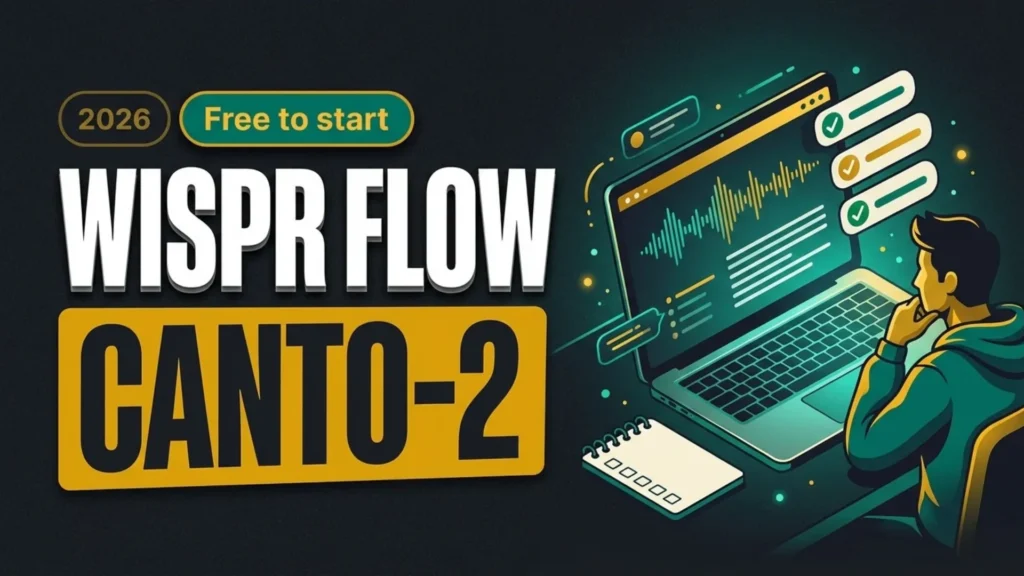
Wispr Flow Canto-2 in 2026: The Speech-to-Text Model That Finally Gets Names Right
Disclosure: Wispr Flow has paused new affiliate arrangements, and I do not have a Wispr affiliate link. Every Wispr link in this article is plain, so I earn nothing if you click it. Prices checked November 26, 2026.
The 30-second version
Wispr Flow Canto-2 is aimed at the exact moment dictation usually falls apart: the name. Not the easy words. Not the sentence shape. The client name, the product name, the file name, the term you say twenty times a day and still have to fix by hand. Wispr launched Canto-2 on November 24, 2026, and its headline claim is simple enough to test: in Wispr’s own tests, Canto-2 gets 69% of the hardest names and terms right, up from 41% with Canto-1, without stuffing those saved words into places where you never said them.
I like that claim because it is narrow. Wispr is not asking you to believe dictation is solved. It is saying the model got much better at the words that make people quit dictation. My take: if your work is full of names, jargon, code files, product terms, or mixed-language sentences, Canto-2 is worth testing on the free plan before you pay. If you mostly need meeting transcripts, Otter still fits better. If you build transcription into a product, OpenAI’s API pricing is still the cleaner comparison. And if you are outside the Americas, check your app first, because Wispr’s rollout is regional.
What Canto-2 actually is
Canto-2 is Wispr Flow’s newest speech-to-text model. Flow is the dictation app that sits across Mac, Windows, iPhone, and Android and drops cleaned-up text into the app you are already using. Canto-2 is the model under that experience. You do not buy Canto-2 as a separate tool. You use Flow, and Flow uses the model.
Wispr says Canto-2 is 10 times the scale of Canto-1. Bigger models do not automatically make your day easier, so I care less about the scale line and more about the behavior Wispr describes. Flow has a personal dictionary. You teach it the names and terms you use. The hard part is balance. If the model leans too hard on your dictionary, it starts hearing your saved words everywhere. If it ignores the dictionary, your hardest words keep coming back wrong. Canto-2 is trained to use a saved term when you actually say it, not whenever a similar-sounding everyday word shows up.
That sounds small until you dictate real work. Say you write to a client named Sara, a supplier named Saira, and a product called Sera. A weak model turns all three into mush. A lazy dictionary model may do the opposite and force one saved spelling into every sentence. Neither version saves time. The useful version is boring in the best way: it hears the name you said, writes that name, and leaves the rest of the sentence alone.
Wispr’s number for that job is 69% on the hardest names and terms, compared with 41% for Canto-1. Read that number honestly. Sixty-nine percent is a big jump, and it still leaves room for misses. If a name is critical, you still glance at the text before you send it. The win is fewer corrections, not blind trust.
Wispr also says Canto-2 holds up when the dictionary grows. With 1,000 saved terms, it gets 92% of the easier ones right in Wispr’s test. That matters for teams and specialists. A dictionary with twelve names is easy. A dictionary with client names, internal project names, drug names, street names, function names, and product variants is where speech models start tripping over their own context.
The accuracy claims, with the caveats attached
Let’s separate the claims before they blur together. Wispr makes three accuracy points that matter here.
- Hard names and terms: 69% right with Canto-2, up from 41% with Canto-1, without more false insertions in Wispr’s test.
- Real-world English: more than 15% fewer errors than Canto-1 on a random sample of real Flow dictations, with the lowest error rate among the models Wispr tested.
- Fourteen languages: average error rate down from 9.9% to 6.3%, which Wispr describes as a third fewer errors than Canto-1.
Why your own test matters more than the chart
I am treating those as vendor-run results. That does not make them useless. It does mean you should test them against your own mouth, your own microphone, and your own vocabulary. Speech recognition is personal in a way benchmarks hide. Your accent, your room, your laptop mic, your phone case, your habit of restarting sentences halfway through — all of that changes the result.
The language claim is the one I would test first if you switch languages during the day. Wispr names Spanish, French, Hindi, and Mandarin among the 14 languages in its evaluation. It also claims the lowest Hindi error rate of any multilingual model on Hugging Face’s open benchmark. If you move between Hindi and English in the same sentence, that is not a side feature. That is the whole reason to care.
Still, do not let a clean chart talk you out of a messy test. Dictate the paragraph you actually send. Use the names that usually break. Speak at your normal speed, not your careful demo voice. Then count the edits. If Canto-2 cuts your corrections in half on your hardest text, the benchmark debate becomes much less interesting.
Where Canto-2 is available
Wispr’s Canto-2 post says the model begins rolling out to Flow users across all platforms. Wispr’s What’s New page is more specific: Canto-2 is available on Mac, Windows, iOS, and Android in the Americas, with rollout to other regions underway. I am going with the narrower version because it tells you what to do. Update the app, open Flow, and check whether your account has it before you plan a workflow around it.
If you are in Pakistan, India, Europe, or anywhere outside the Americas, do not assume Canto-2 is active in your account today just because the launch post is public. Regional rollouts are normal for speech models, especially when language performance and support load matter. The annoying part is that launch posts often sound global even when the switch flips by region. Wispr’s own What’s New wording gives you the safer read: Americas first, other regions in progress.
That rollout detail also changes how you should judge early reactions online. A user in the US may be testing Canto-2 while a user elsewhere is still on the older behavior. If you read a complaint or a glowing post this week, ask where the person is and which app version they used. Otherwise you may be comparing two different products wearing the same name.
Wispr Flow pricing in 2026
Prices checked November 26, 2026, from Wispr’s Help Center plan page. I am using US card list prices because that is what Wispr publishes there. Your checkout may show a regional currency, and Wispr says regional prices are fixed by currency rather than simple USD conversions.
| Plan | Price | What matters most |
|---|---|---|
| Free | $0 | Limited dictation, names and jargon learning, dictionary additions, calendar and Slack connections, training opt-out. |
| Pro | $15/user/month or $144/user/year ($12/month equivalent) | Unlimited dictation, longer meeting history, early feature access, priority support, team billing and user management. |
| Growth, Dictation only | $23/user/month or $216/user/year ($18/month equivalent) | Pro features plus SAML SSO, multiple email domains, usage reporting, member administration, organization-wide privacy and HIPAA controls. No Notetaker. |
| Growth with Notetaker | $33/user/month or $312/user/year ($26/month equivalent) | Growth features plus the meeting notetaker on Mac and Windows and questions about meetings. |
| Enterprise | Custom | SCIM directory sync, managed deployment, training always off team-wide, contract protections. Notetaker can be added. |
The free-plan limit you will feel first
The free plan is the right test bed, but do not mistake it for a full work plan. On Mac and Windows, Wispr lists a 2,000-word allowance and a 5,000-word maximum each week, resetting Sunday at 12 a.m. PT. At the allowance, Flow slows down. At the hard cap, dictation is blocked until the reset or an upgrade. On iOS and Android, free dictation is limited weekly and pooled across mobile devices; Wispr says mobile limits differ by account and show in the app.
Two thousand words sounds generous until you dictate real work. A few long emails, a script draft, and a messy brain dump can eat that allowance fast. That is fine for a test. It is not fine if you plan to write by voice every day. Pro removes the dictation limit, and that is the real upgrade. The team features matter for companies, but for a solo writer the simple question is: do I dictate enough to hit the free cap? If yes, Pro is the plan to judge.
Wispr says default trials last 14 days, with referral trials at 30 days and student trials at 90 days where applicable. I would use the trial after the free test, not before it. First prove your hardest names work. Then use the trial to see whether unlimited dictation changes your week.
One pricing trap to avoid: do not compare Flow Pro with a raw speech API minute price and call it done. Flow is an app with dictionary behavior, formatting, snippets, platform support, and insertion into other apps. An API gives you a transcript and leaves the product work to you. Those are different purchases.
Privacy: the setting to check before you dictate anything sensitive
Dictation privacy is not a footnote. You are sending your voice, your words, and often your edits through a cloud service. Wispr’s docs separate two controls that people often mash together: model-improvement sharing and dictation cloud storage. They are not the same switch. Turning model improvement off does not stop cloud processing. It means your content is withheld from model improvement and evaluation, while Flow still uploads dictation details such as word count, duration, app, timestamp, microphone, detected language, and edit statistics.
That distinction matters if you dictate client work, legal notes, medical terms, passwords, or anything you would not paste into a random web form. Before you test Canto-2 with sensitive text, open Settings, then Data and Privacy, and set the sharing choice on purpose. Do not drift into the default because setup was quick.
HIPAA-ready handling with a signed Business Associate Agreement is available on Growth and Enterprise only, according to Wispr’s plan page. So if your use case involves protected health information, Free and Pro are not the right place to improvise. Use the plan and agreement that match the work, or do not dictate that material into Flow.
I also would not buy Flow for offline dictation. Wispr’s Android setup docs say dictation requires internet access, and its privacy docs keep cloud processing in the picture even when sharing is off. If your work happens on planes, in dead zones, or inside strict offline rules, Canto-2 does not solve that problem.
How Canto-2 compares with Whisper
Whisper is the name many people reach for first, so let’s place it correctly. OpenAI’s Whisper model, listed as whisper-1, is a speech recognition model for API use. OpenAI’s docs list whisper-1 at $0.006 per minute and mark it deprecated. OpenAI’s newer gpt-transcribe model is listed at $0.0045 per minute for file and realtime input transcription. If you are building a product, transcribing files in bulk, or wiring speech into your own pipeline, that API route deserves a hard look.
But that is not the same job as Wispr Flow. Flow is for the moment you are staring at an email, a doc, a chat box, a code comment, or a script and want clean text without typing it. The value is not only transcription. It is the dictionary, the cleanup, the formatting, the app insertion, and the habit of speaking into the tools you already use. Canto-2 improves the part of that chain where names usually break.
If you write code, the comparison gets sharper. An API can transcribe a recording after the fact. Flow can help you dictate a commit message, a bug report, or a prompt while the file names are still in front of you. Wispr’s dictionary behavior matters there because file names and function names are exactly the sort of terms generic models mangle. I would still test with your own repo names before paying. Speech models love to sound confident right before they rename your function.
My rule is simple. Choose an API when you need control, batch processing, or product integration. Choose Flow when you need a person to write faster inside everyday apps. Canto-2 makes the second case stronger. It does not erase the first.
How Canto-2 compares with Otter
Otter is a different tool wearing a similar speech-to-text label. Otter is built around meetings: live transcripts, summaries, action items, searchable history, and AI Chat across conversations. Its Basic plan is free with 300 minutes per month and a 30-minute cap per conversation. Pro is $8.33 per user per month billed annually, or $16.99 billed monthly, with 1,200 minutes per month and 90-minute conversations. Business is $19.99 per user per month billed annually, or $30 billed monthly, with longer conversations and heavier meeting use.
Dictation problem or meeting problem?
If your pain is “I lose decisions after calls,” Otter is the more natural fit. If your pain is “I hate typing emails and the model keeps wrecking names,” Flow is the better test. Canto-2 does not turn Flow into a meeting archive. Wispr has Notetaker features on higher plans, but the Canto-2 story is dictation accuracy, especially names and terms. Do not buy a dictation upgrade to solve a meeting-memory problem.
Creators sit between those two worlds. If you script videos by voice, Flow can help you draft faster, then you still need editing tools for the video itself. I covered that side in my best AI video editing tools guide. If your voice stack also includes generated voices or conversational agents, my ElevenLabs Conversational AI pricing guide is the better companion read. Canto-2 is about getting your spoken words into text cleanly. It is not a voice generator and not a video editor.
How I would test Canto-2 before paying
Do not test Canto-2 with a polite paragraph about the weather. Test it with the text that makes you swear at your keyboard. Here is the test I would run.
- Build a nasty dictionary list. Add 20 names and terms you actually use: clients, products, streets, file names, abbreviations, and words your current dictation always gets wrong.
- Dictate one real email. Use the names in normal sentences. Do not slow down to help the model. Speak the way you speak when you are trying to finish work.
- Count corrections, not vibes. Mark every fix you make. Then mark false insertions separately: saved names that appeared when you did not say them.
- Try the ugly conditions. Laptop mic, phone mic, background noise, and one sentence where you restart halfway through. Real dictation is messy.
- Switch languages if that is your life. If you move between English and Hindi, Spanish, French, or Mandarin, test that exact switch. Do not let a single-language demo decide a multilingual purchase.
- Check the free cap against your week. If 2,000 desktop words vanish before Wednesday, judge Pro as a work tool, not a toy.
That test takes less than an hour and tells you more than another benchmark chart. If Canto-2 handles your hardest names and does not invent them elsewhere, it has earned a trial. If it still makes you repair every third sentence, the launch numbers do not matter.
Who should try it, and who should skip it
Try Canto-2 if you dictate names all day. Founders writing investor updates, support leads answering tickets, recruiters writing candidate notes, developers naming files, creators drafting scripts, and multilingual writers all have the same enemy: the one word that forces a manual fix. Canto-2 is built for that enemy.
Try it if your current dictation is close but annoying. That is the sweet spot. If you already speak drafts and only hate the cleanup, a better name model can change the habit. You stop bracing for errors. You dictate longer. You send sooner. That is where the time comes back.
Skip it for now if you need offline dictation. Skip it if your account is outside the rollout region and the app has not picked up Canto-2 yet. Skip it if your real problem is meeting notes, because Otter’s shape fits that job better. Skip it if you need a transcription API for a product; OpenAI’s gpt-transcribe pricing gives you a cleaner starting point for that build.
Be careful if your dictation includes regulated or confidential material. Canto-2 may be accurate, but accuracy is not permission. Check the privacy switches, check the plan, and check whether a BAA is required for your work. A model that gets a name right is still the wrong tool if the data handling does not fit the job.
My call
Wispr Flow Canto-2 is a focused upgrade, and I mean that as praise. It does not try to be every AI tool at once. It attacks the correction loop that makes dictation feel slower than typing: names, terms, and mixed-language speech. Wispr’s numbers say Canto-2 gets 69% of the hardest names and terms right, up from 41%, and cuts average error across 14 languages from 9.9% to 6.3%. Those are Wispr’s tests, so I am not treating them as settled truth. I am treating them as a strong reason to run your own test.
Start free. Add the names that usually break. Dictate the email you would normally type. Count the fixes. If Canto-2 is live in your region and your correction count drops, Pro at $15 monthly or $144 a year becomes easy to justify. If the free cap blocks you before the test feels real, that tells you something too: you dictate enough to judge Pro as a daily tool.
I would not switch your whole workflow on launch week. I would give Canto-2 one honest test with your hardest words. Names are where dictation earns trust. Canto-2 finally treats them like the main event.
Sources
- Wispr Flow — Introducing Canto-2 (Nov 24, 2026)
- Wispr Flow — What’s new, Canto-2 availability
- Wispr Flow Help Center — Flow plans and what’s included
- Wispr Flow Help Center — Manage data sharing, cloud storage and local history
- Wispr Flow Help Center — Partnership and creator collaboration inquiries
- OpenAI API docs — GPT-Transcribe model
- OpenAI API docs — Whisper model
- Otter — plan limits and prices in its Granola alternatives comparison